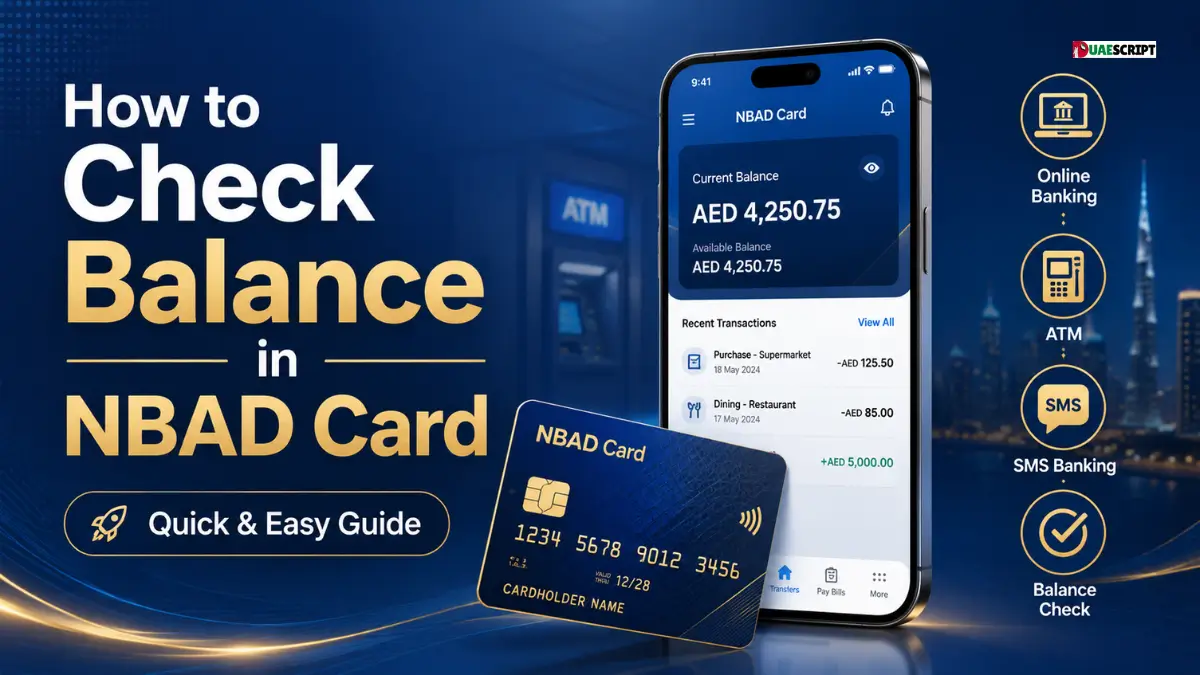
There are still many people in the UAE who are looking for ways to check balance in NBAD card, particularly those who use salary cards, prepaid cards, and those who have been using old NBAD banking services. But NBAD is no longer known as the old name. In April 2017, the National Bank of Abu Dhabi and First Gulf Bank were merged to form First Abu Dhabi Bank (FAB).
For this reason, an NBAD card balance check is typically performed via FAB-related services, particularly when you are using a FAB prepaid card, salary card, or Ratibi card. Fortunately, it’s easy to check your card balance. It can be verified online, via the FAB prepaid card enquiry site, at an ATM, via mobile banking, or by calling customer service.
This guide will show you all the simple methods to check your NBAD/FAB card balance safely and correctly.
What is an NBAD Card?
An NBAD card is a card that was issued by the National Bank of Abu Dhabi. The old name “NBAD card” is still used by many people, but following the merger, NBAD became a part of First Abu Dhabi Bank. So, when users search for NBAD balance check, they are usually looking for FAB card balance services.
These cards can be salary cards, prepaid cards, payroll cards, or Ratibi cards. One of the most popular salary card solutions in the UAE is Ratibi. It is meant for workers who earn up to AED 5,000 and can get their salary on a card without having to open a bank account.
So, if your employer provides you with a salary card and you refer to it as an NBAD card, it could now be handled by FAB or FAB prepaid card services.
Why Checking Your NBAD Card Balance Is Important?
There are several reasons why it is important to check your NBAD card balance.
It is crucial to check your NBAD card balance because it enables you to manage your finances with confidence. These cards are used by many workers to receive their monthly salaries, cash out, purchase daily necessities, pay bills, or send money to family.
If you know how much money you have in your account, you can prevent declined transactions, ATM withdrawal failures, and confusion. It also assists you to verify if your salary has been credited on time.
It’s also a good idea to check your balance regularly to catch any unusual deductions or suspicious activity. You can report a wrong transaction in a timely manner. This is particularly crucial for salary card holders who rely on their card for their everyday expenses.
How to Check Balance in NBAD Card Online?
The most convenient method to check NBAD card balance is by using the online prepaid card enquiry option. This is a popular technique for FAB prepaid card and Ratibi card users.
The official prepaid card enquiry page requires the user to enter the last 4 digits of the card number, Card ID and captcha before proceeding.
Steps to Check NBAD Card Balance Online
Here are some easy steps to follow:
-
Open the FAB prepaid card balance enquiry page.
-
Type in the final 4 numbers of your card.
-
Enter your Card ID.
-
Fill in the captcha on the screen.
-
Click the “Go” button.
The amount of money you have available on your card should be displayed.
This is helpful for those who don’t have a full bank account and rely on a salary or prepaid card. It’s also useful for employees who just need to check their balance without going to an ATM or branch.
Always ensure that you are using the right and official enquiry page before entering your details. Do not enter full card number, PIN, OTP, password or CVV on random websites.
Use the FAB Mobile App to check NBAD/FAB Card Balance
You can also use FAB Mobile Banking to check your balance using the FAB Mobile app. According to FAB, its mobile banking service enables users to handle their accounts, debit cards, credit cards, and check balances.
To use this method, download the official FAB Mobile app, log in with your registered details, and go to the account or card section. You can then check your balance and recent transactions.
But this approach may not be possible for all prepaid or salary card holders. Mobile banking may not be available for all Ratibi or prepaid card holders. If so, the online prepaid card enquiry page is typically the more direct choice.
Use an ATM to check NBAD Card Balance
Another convenient method to check NBAD card balance is by using an ATM. This is a good option when you don’t have internet access or when the online portal is not functioning.
To check your balance at an ATM:
-
Go to a FAB ATM or supported ATM.
-
Insert your card.
-
Enter your PIN.
-
Select “Balance Inquiry.”
-
View your available balance on the screen.
-
If necessary, take a receipt.
It is generally better to use a FAB ATM as it can lower the risk of additional fees. Depending on the type of card and ATM network, there may be a balance enquiry fee or a withdrawal fee if you use another bank’s ATM.
Never allow another person to enter your PIN or check your balance for you. Never leave the keypad uncovered when entering your PIN.
Use Customer Support to check Balance
You can reach FAB customer support if you can’t check your balance online or at an ATM. This is useful when your card is blocked, expired, doesn’t display your salary, or has an incorrect balance.
Customer support will request basic identity verification, but never provide your PIN, OTP, CVV or online banking password. A real bank representative will not require your secret codes to assist you with basic support.
If your employer states that your salary has been transferred but the amount is not showing on your card, you can also reach out to support. Have your card information, salary date, and employer confirmation on hand before you call.
Details Required for NBAD Card Balance Check Online
You typically need just a few pieces of information to check your NBAD/FAB prepaid card balance online. These include:
-
Last 4 digits of your card number
-
Card ID
-
Captcha code shown on the page
-
Stable internet connection
For a simple prepaid card balance check, you don’t have to provide your full card number, PIN, CVV, OTP, or password. Do not use a website that requests sensitive information.
The Card ID is typically found on the card. If it is not available, look both sides of the card thoroughly or ask your employer or card issuer for advice.
Common issues when checking NBAD card balance
Users may encounter issues when checking their NBAD card balance online. The most frequent problem is entering the wrong Card ID or wrong last 4 digits of the Card Number. A single wrong digit can prevent the system from displaying your balance.
Another common problem is captcha error. If the captcha is not clear, refresh it and try again. Slow internet, browser issues, or temporary server problems can also cause website loading issues.
Not all salary problems are card problems. Employer processing, bank processing time, public holidays or incorrect payroll details may cause salary to be delayed.
The balance enquiry may not function correctly if your card is blocked, expired, damaged, or inactive. In this case, contact FAB support or your employer’s HR/payroll department.
Safety Tips for NBAD/FAB Card Balance Check
While convenient, online balance checking must be done safely. Use official FAB channels only and do not use unknown third party pages. Avoid random searching and inputting card information on the first site you come across.
Do not give out your PIN, OTP, CVV, full card number or password to anyone. These details can be used to steal your money.
Don’t check your balance on public Wi-Fi, shared computers, or someone else’s phone. If you have to use a public device, do not save your details and clear your browser history after use.
Also, check your balance regularly. If you see any deductions that you don’t recognize, report them as soon as possible.
NBAD Card Balance Check for Salary Users
A large number of NBAD/FAB card holders are salary card holders. These users are typically interested in knowing if their paycheck has been received for the month. The online balance enquiry method is useful because it allows them to check their salary without going to an ATM.
If your salary is not showing, first confirm with your employer. Check if the salary file has been processed and if the card information is correct. If your employer confirms payment, wait for the normal processing time and then check again.
If the salary is still not showing, please reach out to FAB support or the payroll department. Have your card details and salary month information handy.
Difference Between NBAD Card and FAB Card
The only difference is the name. The old banking name was NBAD and the current bank is FAB after the merger of NBAD and FGB. Most services are now under FAB, although many older users still say “NBAD card”.
Therefore, if you want to know how to check balance in NBAD card, you should also look for FAB balance check, FAB prepaid card balance, Ratibi card balance enquiry, or FAB salary card balance check.
Old and new names can be used together to help you locate the information you need more quickly.
Best Method to Check NBAD Card Balance
The online prepaid card enquiry portal is the best way for most prepaid and salary card users. It is fast, easy and doesn’t involve going to an ATM.
If the online page is not functioning, however, you can use an ATM. The FAB Mobile app might also be helpful if you have full FAB banking access. Customer support is the best choice for card errors, salary delays, or blocked cards.
The correct approach is dependent on the type of card and access you have.
Conclusion
Once you know that NBAD cards are now generally linked with FAB services, checking your NBAD card balance is easy. For many users of salary cards and prepaid cards, the quickest way to check the balance is to use the prepaid card balance enquiry page online, which requires you to enter the last 4 digits of your card, Card ID and captcha.
You can also check your balance via FAB Mobile, ATM or customer support. Use safe and official channels, never share your card details, and never share your PIN or OTP with anyone. You can keep a track of your salary, spending, and withdrawals with confidence by checking your balance regularly.
FAQ’s
Will I still be able to view my NBAD card balance?
Yes, but NBAD is now part of FAB, so balance checks are typically performed via FAB-related services.
How to check the balance of NBAD card?
Typically, the most convenient place is the prepaid card enquiry page online.
What information is required for NBAD card balance check?
The last 4 digits of your card number, Card ID and captcha are usually required.
Is NBAD now FAB?
Yes. In 2017, NBAD and FGB merged to form First Abu Dhabi Bank.
Is it possible to check the balance of my NBAD salary card online?
Yes, there are many people who use salary or prepaid cards who can check their balance online.
Is it possible to check NBAD card balance at an ATM?
Yes, you can use a FAB ATM or supported ATM to check your balance.
Why is my pay not appearing on my pay card?
This can be caused by a delay from the employer, bank processing, public holidays or incorrect card details.
Is it safe to check NBAD card balance online?
Yes, provided you use official channels and never share PIN, OTP, CVV or password.
Is it possible to check the balance of my card using FAB Mobile?
Yes, if your card or account is connected with FAB Mobile Banking access.
What do I do if my card balance is incorrect?
Contact FAB support or your employer’s payroll department for help.
More to Read:
Guide to Ratibi Card Salary Check By ATM
Common Problems During Checking ATM Balance
FAB Bank Salary Account Balance Check Online | Quick & Secure
ATM Balance Check in the UAE | Easy & Simple Steps to Follow in 2026
Share this article

Written by : Barika Awad
Barika Awad writes for UAE Script, specializing in UAE finance and lifestyle content — from bank services to visa and residency guides. She's passionate about making official processes easier to understand for expats and residents alike.
Follow us
A quick overview of the topics covered in this article.
- What is an NBAD Card?
- Why Checking Your NBAD Card Balance Is Important?
- How to Check Balance in NBAD Card Online?
- Use the FAB Mobile App to check NBAD/FAB Card Balance
- Use an ATM to check NBAD Card Balance
- Use Customer Support to check Balance
- Details Required for NBAD Card Balance Check Online
- Common issues when checking NBAD card balance
- Safety Tips for NBAD/FAB Card Balance Check
- NBAD Card Balance Check for Salary Users
- Difference Between NBAD Card and FAB Card
- Best Method to Check NBAD Card Balance
- Conclusion
- FAQ’s
- Will I still be able to view my NBAD card balance?
- How to check the balance of NBAD card?
- What information is required for NBAD card balance check?
- Is NBAD now FAB?
- Is it possible to check the balance of my NBAD salary card online?
- Is it possible to check NBAD card balance at an ATM?
- Why is my pay not appearing on my pay card?
- Is it safe to check NBAD card balance online?
- Is it possible to check the balance of my card using FAB Mobile?
- What do I do if my card balance is incorrect?
Latest articles

October 13, 2026
October 13, 2026