
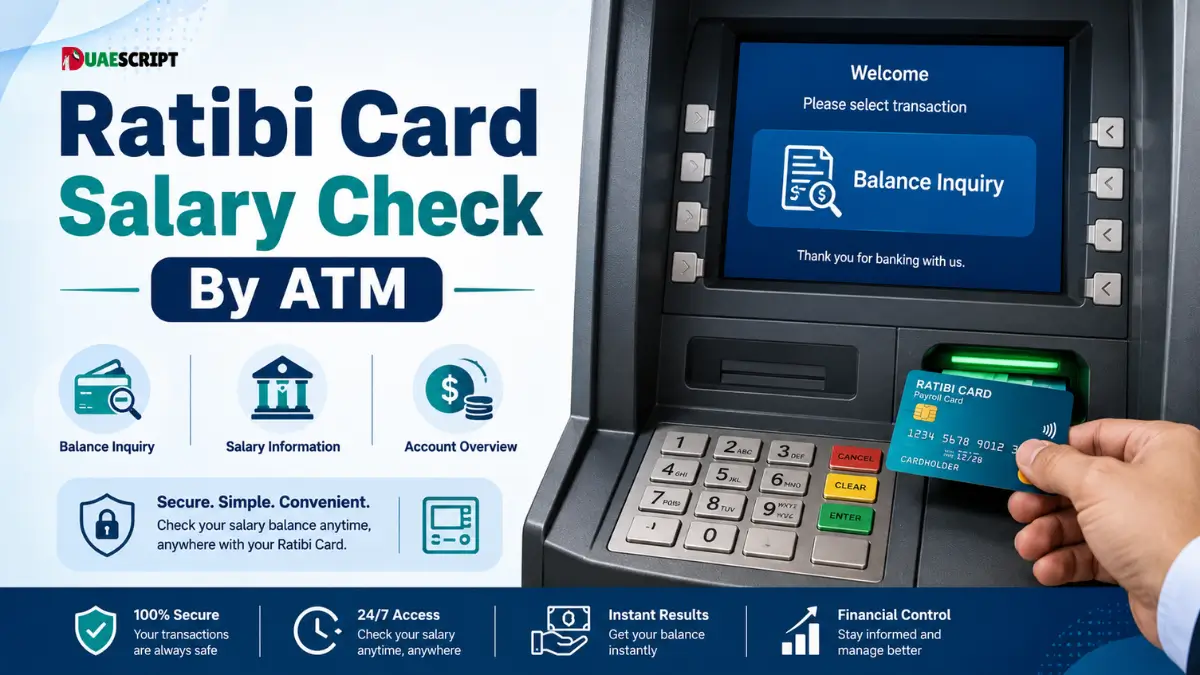
The Ratibi Card is one of the most useful salary cards for many employees in the UAE. It assists workers to get their monthly salary without having a normal bank account. This card is used by many employees for cash withdrawals, balance checking, shopping, and daily payments. However, the most frequently asked question by users is how to check their Ratibi Card salary through ATM.
It is easy, fast and convenient to check your salary at an ATM. No internet, mobile banking or special app is required. All you need is your Ratibi Card, your ATM PIN and an ATM machine that is supported nearby. This is particularly useful for employees who wish to verify if their pay has been deposited before they withdraw money.
In this guide, you will learn the complete step-by-step procedure for checking Ratibi Card salary by ATM, what you need to check your balance, common problems, safety tips, and other methods for checking your balance.
What is a Ratibi Card?
A Ratibi Card is a prepaid salary card that companies use to pay their employees. It is widely used in the UAE for employees who might not have a regular bank account. The employee gets the salary directly on the Ratibi Card, rather than in cash or through a bank account.
The card is similar to a salary wallet. Once the employer transfers salary, the cardholder can use the card to withdraw cash from an ATM, check available balance, make purchases, or use it for supported payments. The card has been referred to by various names over the years, which is why many people are still looking for terms such as NBAD Ratibi Card, FAB Ratibi Card, Ratibi salary card, or Ratibi prepaid card.
The main benefit of the Ratibi Card is convenience. No need for employees to go to a bank branch each month to get paid. They can just go to an ATM and see if they have been paid and take out cash if they need it.
The Importance of Ratibi Card Salary Check
It is crucial to check your Ratibi Card salary as it will help you understand how much money you have in your account before you make a withdrawal or payment. Some users will go straight to an ATM to get cash, but if the salary has not been credited, the transaction may fail. A quick balance enquiry can save time and avoid confusion.
Checking your salary is also useful for budgeting on a monthly basis. If you are aware of your exact available balance, you can budget for rent, food, transportation, mobile phone bills, and other expenses. It also allows you to verify if your employer has transferred your salary on time.
The Ratibi Card is the primary means of accessing monthly income for many workers. This is why it is crucial to know how to check the salary balance safely.
Things You Need Before Checking Ratibi Salary By ATM
When you go to an ATM, you should have a few things ready.
Ratibi Card
To use an ATM, you must have your physical Ratibi Card. Ensure that the card is not damaged, broken, expired or scratched. If the ATM is unable to read your card, the balance enquiry might not function.
ATM PIN
You will need to have your correct ATM PIN. The PIN is a personal security code. Do not share it with anyone, even friends, co-workers or strangers near the ATM. If you enter the wrong PIN too many times, your card may be blocked or kept by the machine.
Supported ATM
You can use a FAB ATM or another supported ATM network. The menu options may vary slightly from ATM to ATM, but the general procedure is similar. If one ATM is not functioning, you can use another ATM that is close by.
Safe Location
Always use an ATM in a secure place. Stay away from dark, empty or suspicious ATM areas, particularly at night. Wait until they move away before entering your PIN if someone is standing too close.
Step-by-Step Guide to Ratibi Card Salary Check By ATM
You can easily check your salary on Ratibi Card using an ATM. Please read and follow these instructions carefully.
Step 1: Go to a Local ATM
First, go to a nearby ATM machine. Use an ATM in a safe, public location, like a bank branch, shopping mall, supermarket, petrol station or workplace area. If a FAB ATM is available near you, you may prefer using it.
Before inserting your card, check the ATM machine. Ensure that there is no unusual object on the card slot or keypad. Do not use if the machine appears damaged or suspicious.
Step 2: Insert Your Ratibi Card
Place your Ratibi Card in the ATM card slot. Be sure to insert the card the right way. Near the slot, most ATMs display a small image of the card to help users.
Wait until the ATM screen appears. Never take the card out of the machine during processing.
Step 3: Select Your Language
The ATM will ask you to choose a language. Choose the language you are most comfortable with, English or Arabic. Selecting the right language will prevent you from picking the wrong one.
Step 4: Enter Your ATM PIN
Carefully enter your ATM PIN. Use hand to cover keypad when typing. This will keep your PIN safe from people standing nearby or from hidden cameras.
Don’t rush when entering the PIN. If you enter the wrong PIN, cancel the transaction and try again carefully. Do not guess the PIN several times as it can cause issues.
Step 5: Click on Balance Enquiry
After entering the PIN, the ATM will show different options. Search for a feature like Balance Enquiry, Account Balance, Balance Inquiry, or Card Balance. The exact wording can be different on different ATM machines.
Choose the balance enquiry option on ATM. This is the primary step in the process of checking Ratibi Card salary through ATM.
Step 6: View Your Available Balance
Your available balance will be displayed on the ATM screen. If your salary has been credited, the balance should show the amount that is available on your Ratibi Card. Some ATMs will also provide a receipt with a printout of the balance.
If the balance is less than anticipated, review if any previous withdrawals or payments were made. If salary is not appearing at all, it could be because the employer has not transferred it yet or the salary is still being processed.
Step 7: Print Receipt If Needed
Some users like to print a balance receipt for record keeping. If you need proof of available balance, choose the receipt option. Don’t print if you don’t need it, to preserve your privacy.
Do not drop your receipt in the open near the ATM. It can display card details or balance. Keep it safely or tear it before throwing it away.
Step 8: Take Your Card Before Leaving
Take your card, cash (if you took any) and receipt (if you printed one) before you leave the ATM. People often lose their card due to rush. Always check your hands and wallet before leaving the ATM area.
Is it Possible to Withdraw Salary After Checking the Balance?
Yes, after checking your Ratibi Card balance, you can withdraw cash if your salary has been credited. Instead of ending the session, you can go back to the main menu and choose Cash Withdrawal.
Enter the amount you want to withdraw. Ensure that the amount is in your card balance. Also, keep in mind that some ATM networks may charge fees based on the ATM or card conditions, and some ATMs may have withdrawal limits. Always check the ATM screen before confirming the transaction.
It is better to withdraw only the amount you need. Having a little balance on your card can help you pay bills or emergencies later.
Common Problems During Ratibi Salary Check By ATM
Users may encounter problems when they try to check their salary on Ratibi Card at an ATM. Most problems are simple and can be solved easily.
Incorrect PIN
The ATM might refuse to accept the transaction if you enter the wrong PIN. If this occurs, repeat the process slowly. Avoid entering random numbers. If you make too many incorrect attempts, your card may be blocked.
ATM Not Reading the Card
If the ATM does not read your Ratibi Card, the card may be damaged, dirty, expired or inserted incorrectly. Try cleaning the card gently and insert it again. If it still doesn’t work, use another ATM.
Salary Not Showing
Not all salary not showing is a card problem. The employer may not have paid the salary. There could also be a payroll delay. First confirm with your company’s HR or payroll department.
ATM Out of Service
Sometimes the ATM machine is temporarily unavailable, out of cash, or unable to process card services. If this is the case, cancel the transaction, remove the card and use another ATM.
Card Captured By ATM
Don’t panic if the ATM retains your card. Call the bank or card support number and let your employer know if necessary. Record the time, date, and location of the ATM to help identify the issue.
If Salary is Not Credited, What to Do?
If your Ratibi Card salary is not showing at the ATM, wait for some time and check again. The salary transfer may not be received at the same time each month.
If the salary still does not appear, contact your employer, HR department, or payroll officer. Check if the salary file has been processed and if payment has been made to your card.
If your employer verifies that the salary has already been transferred, then reach out to official card support for assistance. Have your card information on hand, but never give your PIN to anyone. Support teams may ask for card information to identify your account, but they should not ask for your PIN.
Other Methods to Verify Ratibi Card Salary
There are other ways to verify the salary of a Ratibi card.
Online Prepaid Card Enquiry
The official prepaid card enquiry system is available for Ratibi Card users to check their balance. This approach typically involves providing card information like the last digits of the card and Card ID. It’s handy if you’re online and don’t want to go to an ATM.
SMS Alerts
Many salary card holders get SMS alerts when salary is credited or when any transaction occurs. SMS alerts can be used to monitor salary and expenditure if your mobile number is registered properly.
Customer Support
When you encounter card problems, blocked PIN issues, missing salary confusion, or ATM issues, customer support can help you navigate. Only use official support numbers and never provide personal card information to unknown callers.
Employer/HR Department
If you have any questions about salary transfers, you should reach out to your employer or HR department first. They can verify if the salary has been processed by the company.
Safety Tips While Using Ratibi Card at ATM
ATM safety is very important because your Ratibi Card contains your salary. Use the following simple safety tips when using an ATM.
-
Do not give out your ATM PIN to anyone.
-
Never write your PIN on the card or in your wallet.
-
Cover the keypad when entering your PIN.
-
Avoid help from strangers.
-
Take your card, cash and receipt before leaving.
-
Report lost or stolen cards immediately.
ATM Salary Check vs Online Balance Check
There are two ways to check your balance: online and at the ATM, and they both have their own purposes.
ATM Salary Check
ATM salary check is best if you want to check your balance and withdraw cash simultaneously. No internet, mobile data or online login required. This is a great choice for those who want to do their banking offline.
Online Balance Check
Online balance check is better if you just want to check your balance without going to an ATM. It can save time and is helpful when you just want to check your available balance.
ATM method will need your physical card and PIN. The online method will need card information and an internet connection. You can use either method based on your situation.
Final Tips for Ratibi Card Users
The Ratibi Card is designed to make salary access easier, but it should be used with caution. Monitor your balance frequently, particularly around salary date. Never share your PIN and only use secure ATMs.
If your pay is late, check with your employer first. If the card has a technical problem, contact official support. Avoid websites you don’t know, agents you don’t know, or strangers asking for your card information.
Your Ratibi Card is linked to your salary, so treat it like cash. Keep it safe, use it wisely, and always follow secure ATM practices.
Conclusion
The Ratibi Card salary check by ATM is a convenient and easy way for the employees in the UAE. You just have to go to an ATM that is supported, put in your card, enter your PIN, select balance enquiry, and see how much salary you have.
This is helpful as it does not require an internet connection and also enables you to withdraw cash instantly if your salary has been credited. But it is always best to use safe ATMs, safeguard your PIN and keep your card safe.
If your salary is not appearing, please check back later, contact your employer or official support for assistance. If you take the right steps, you can easily check your Ratibi Card salary using an ATM.
FAQs
How to check Ratibi Card salary through ATM?
Put your Ratibi Card in an ATM, enter your PIN, click on Balance Enquiry and check your balance.
Can I withdraw my salary from my Ratibi Card?
Yes, you can withdraw cash from an ATM if your salary has been credited and there is sufficient balance.
Is there any need to have internet to check Ratibi salary by ATM?
No, you don’t need internet to check your salary at the ATM.
What should I do if my salary is not showing?
Wait for some time, check again, and contact your employer or HR department if the salary is still missing.
Is it possible to check Ratibi Card balance online?
If you have the necessary card information, you can use the official prepaid card enquiry option.
What if I enter the wrong PIN?
The ATM may reject the transaction. If there are too many incorrect attempts, the card may be blocked.
Is it possible to check Ratibi Card salary at any ATM?
Ratibi Card can be used at supported ATMs, although the menu options and any fees may differ depending on the ATM network.
Does Ratibi Card only accept salary?
The primary use of Ratibi is as a payroll prepaid card, but it can also be used for supported payments and withdrawals.
If the ATM retains my card, what should I do?
Call official help and record the ATM location, date and time.
Is Ratibi Card safe to use?
Yes, it is safe if used properly. Never share your PIN, never talk to strangers, and report lost cards promptly.
Related:
Al Rostamani Card UAE | Complete Guide to Payroll & Prepaid Cards
Guide to FAB ATM Balance Check | Quick & Easy Steps
How to Recharge Hafilat Card Online in 2026? | A Step-by-Step Guide
Share this article

Written by : Barika Awad
Barika Awad writes for UAE Script, specializing in UAE finance and lifestyle content — from bank services to visa and residency guides. She's passionate about making official processes easier to understand for expats and residents alike.
Follow us
A quick overview of the topics covered in this article.
- What is a Ratibi Card?
- The Importance of Ratibi Card Salary Check
- Things You Need Before Checking Ratibi Salary By ATM
- Step-by-Step Guide to Ratibi Card Salary Check By ATM
- Is it Possible to Withdraw Salary After Checking the Balance?
- Common Problems During Ratibi Salary Check By ATM
- If Salary is Not Credited, What to Do?
- Other Methods to Verify Ratibi Card Salary
- Safety Tips While Using Ratibi Card at ATM
- ATM Salary Check vs Online Balance Check
- Final Tips for Ratibi Card Users
- Conclusion
- FAQs
- How to check Ratibi Card salary through ATM?
- Can I withdraw my salary from my Ratibi Card?
- Is there any need to have internet to check Ratibi salary by ATM?
- What should I do if my salary is not showing?
- Is it possible to check Ratibi Card balance online?
- What if I enter the wrong PIN?
- Is it possible to check Ratibi Card salary at any ATM?
- Does Ratibi Card only accept salary?
- If the ATM retains my card, what should I do?
- Is Ratibi Card safe to use?
Latest articles

October 23, 2026

October 23, 2026