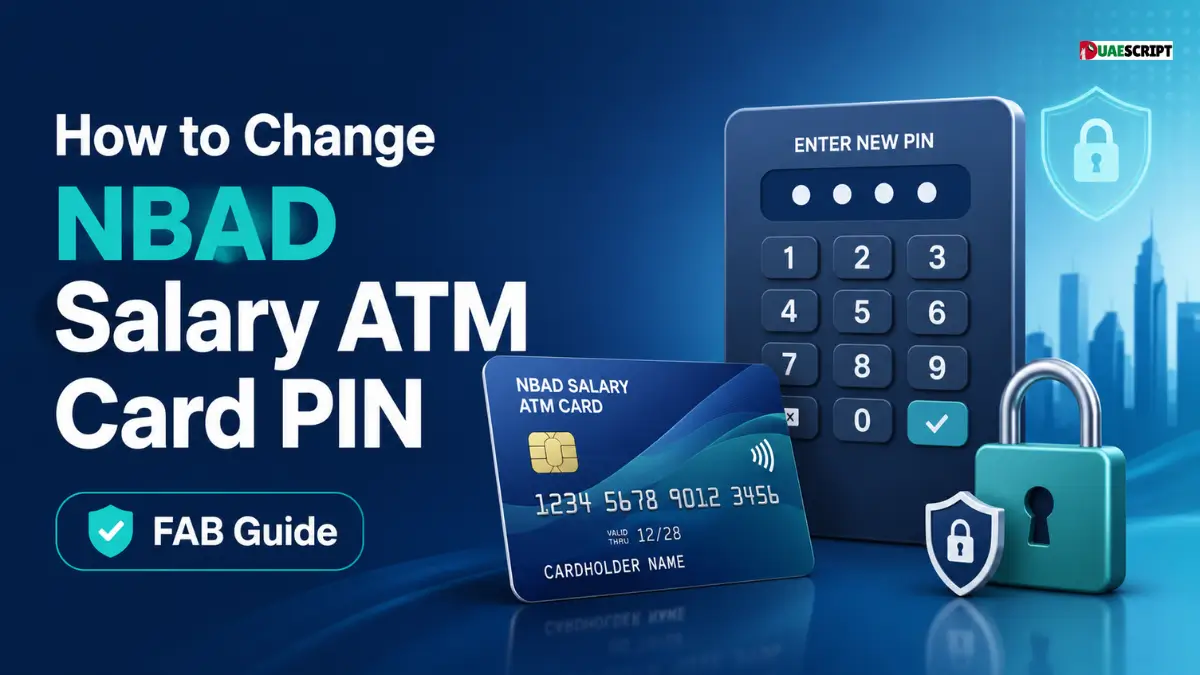
The NBAD salary ATM card is a popular choice among workers in the UAE for getting their monthly salary and conducting regular banking activities. Many users may require to change or update their ATM PIN over time for security reasons, forgotten PINs, or regular security updates.
It is important to note that the National Bank of Abu Dhabi (NBAD) has now merged into the First Abu Dhabi Bank (FAB). This implies that all NBAD account holders are now banking with FAB banking systems, which include ATM banking, online banking and mobile banking.
Regularly changing your ATM PIN will help prevent unauthorized access, fraud and misuse of your salary account. This detailed guide will help you know all the possible ways to change your NBAD salary ATM card PIN easily and securely.
Understanding NBAD Salary ATM Card PIN System
Personal Identification Number (PIN): A 4-digit secret number that is used to approve ATM transactions. The PIN is used to verify your identity and to access your account when you insert your salary card into an ATM.
In the case of NBAD (now FAB) salary accounts, the ATM card is directly connected to your salary account, so PIN security is very critical. If the PIN is not entered, no withdrawals, balance checks, or transfers are possible.
The key features of ATM PIN System are:
- 4-digit secure code
- This is necessary for ATM withdrawals and transactions.
- Directly connected to your salary account
- Can be changed anytime for security purposes
It is strongly recommended not to share your PIN with anyone, including bank representatives.
Why You Should Change Your NBAD ATM PIN
Users might want to change their ATM PIN for a number of important reasons:
- You have not entered your current PIN.
- You suspect unauthorized access
- You have enabled a new salary card.
- You want to make your account more secure.
- Regular PIN change for security against fraud.
Frequent changes to your PIN help minimize the chances of cyber fraud and unauthorized transactions, particularly in salary accounts where money is often deposited.
How to Change NBAD Salary ATM Card PIN.
In FAB banking services, there are several secure methods to change your ATM PIN. Any method is acceptable as long as it is convenient.
The most common method is to change PIN at FAB ATM.
The easiest and fastest method to change your ATM PIN is by using any FAB ATM machine.
Step-by-Step Process:
- Go to the closest First Abu Dhabi Bank ATM
- Insert your NBAD salary ATM card
- Enter your current 4 digit PIN
- Click on “Change PIN” from the menu.
- Enter your new PIN
- Re-enter the new PIN to confirm
- Wait for confirmation message on screen
Important Tips:
- Never expose the keypad when entering PIN
- Choose a PIN that is not easy to guess
- Do not use repeated digits such as 1111 or 1234.
This is the most popular method as it is fast, secure and accessible at all times.
Method 2: Change PIN via FAB Online Banking
For those who prefer digital banking, FAB online banking enables you to update your ATM PIN safely.
Steps:
- Log in to FAB Online Banking portal
- Click on “Cards” or “Account Services”
- Choose your salary ATM card
- Click on “Change PIN” option
- Enter current PIN for verification:
- Set and confirm new PIN
Check with OTP sent to your registered mobile number.
Benefits:
- No need to go to ATM.
- Secure OTP verification
- Can be performed at any time, at home or in the office
This is a great option for those who already have online banking access.
Method 3: Change PIN via FAB Mobile Banking App
The FAB mobile banking app is another convenient way to manage your ATM card PIN.
Steps:
- Open the FAB Mobile Banking App
- Use your credentials or biometrics to log in.
- Go to “Cards” section
- Choose your ATM salary card
- Tap on “Change PIN”
- Enter new PIN and confirm
Verify using OTP or biometric approval.
Advantages:
- Fast and user-friendly
- No need to visit the ATM.
- Secure biometric authentication
- This is particularly helpful for tech-savvy users.
Method 4: Change PIN by Visiting Bank Branch
If you cannot change your PIN using ATM or online, you should go to a bank branch.
When to use this method:
- Forgotten PIN and blocked card
- ATM card not working
- No access to online/mobile banking
Steps:
- Visit nearest FAB branch
- Bring Emirates ID and salary account information.
- Request PIN reset form
- Bank will reset your PIN
- After resetting, set new PIN at ATM.
This approach can be time-consuming but is very effective for complex problems.
Here are some tips to keep in mind when using an ATM for security reasons.
It is important to keep your ATM PIN confidential for your financial security. Follow these tips:
- Do not give out your PIN to anyone.
- Avoid writing PIN on paper or phone notes
- Do not use predictable numbers (DOB, phone number)
- Update your PIN periodically
- Always cover keypad while entering PIN at ATM
- Avoid using public or suspicious ATMs
Adopting good security practices can greatly minimize the risk of fraud.
Common problems and solutions
Users may encounter problems when changing their ATM PIN. Common issues and solutions:
1. Incorrect PIN Error
- Make sure you are entering the right current PIN
- Retry carefully
2. ATM Card Blocked
- Contact FAB customer support immediately
- Go to the closest branch to reactivate.
3. ATM Not Responding
- Try another FAB ATM
- Check network connection issues
4. OTP Not Received
- Make sure that the mobile number is registered with the bank.
- Wait a few minutes and try again.
- If problems continue, it is suggested that you visit a branch.
Advantages
There are a number of benefits to regular PIN changes:
- Stronger account security
- Reduced fraud risk
- Improved management of salary accounts.Improved salary account control.
- Security from unauthorized access.
- The security of everyday banking.
- Security experts suggest changing PIN every 3-6 months.
Conclusion
Changing NBAD salary ATM card PIN is a simple yet important step to secure your banking transactions. First Abu Dhabi Bank offers several secure and convenient ways to manage your PIN, including ATM, online banking, mobile app, and visiting a branch.
Never share your PIN with anyone or leave it out of date for security reasons. By following the steps mentioned above, you can easily manage your salary card PIN without any difficulty.
FAQ’s
Can I change my NBAD ATM PIN at any FAB ATM?
Yes, you can change your PIN at any FAB ATM using the “Change PIN” option.
Does NBAD still exist in UAE?
No, NBAD has become First Abu Dhabi Bank (FAB).
Is it possible to change ATM PIN without old PIN?
Typically, the old PIN is required, but branch reset can be used to change the PIN.
Do you have to pay anything to change your ATM PIN?
No, FAB does not charge for PIN change services in general.
Is it possible to change PIN via mobile app?
Yes, FAB mobile banking app allows PIN change securely.
What if my ATM card is blocked?
You must contact FAB customer service or visit a branch.
How many times can I change my ATM PIN?
It can be changed several times if necessary.
What is the safest method to change PIN?
ATM and mobile banking app are the safest.
Can I use old PIN again?
Not recommended for security reasons.
If OTP is not received, what should I do?
Please verify your registered mobile number or contact FAB support.
Related:
Etisalat AutoPay & Payment Guide | How to Set Up, Use & Manage Bills Easily?
How to Check the Status of Emirates ID in UAE?
Share this article

Written by : Barika Awad
Barika Awad writes for UAE Script, specializing in UAE finance and lifestyle content — from bank services to visa and residency guides. She's passionate about making official processes easier to understand for expats and residents alike.
Follow us
A quick overview of the topics covered in this article.