The Emirates ID is an essential document for residents and citizens in the UAE. It acts as proof of identity, and is a requirement for multiple activities, such as opening a bank account, acquiring a mobile line, accessing health services, renting a property, and completing a transaction with the government.
If you have recently applied for an Emirates ID for the first time, renewed your ID, or applied for a replacement, it is important to track your application. Fortunately, the process is made easy by the UAE government through online services and mobile applications. This article focuses on how to check the Emirates ID status in the UAE, interpret application updates, and understand common hold ups.
What’s Emirates ID in UAE?
An Emirates ID is the mandatory identification card for citizens and residents of the UAE. The card is embedded with personal, and biometric data, and a unique identification number. The card is verified through its inbuilt security features.
The Emirates ID is integrated with all major services in the UAE. Financial, health, and telecommunication services, as well as government services, use this ID for verification. Because of its importance, most applicants wish to check for status updates.
Reasons You May Need to Check Emirates ID Status
There are multiple cases where you need to check Emirates ID status. Usually, new residents want to find out the status of their Emirates ID when it is ready for collection, after their residency is approved. Existing residents may need to check the status of their Emirates ID when it is time to renew their ID before the current ID is due to expire.
Seeing the status also lets you know if biometric registration is complete, if the card is being printed, or if it has been scheduled for delivery. Checking status regularly can help avoid unnecessary delays and helps users stay updated and informed.
What you need to Check the Emirates ID Status
Make sure you have all the information required before checking your application status. In the UAE, authorities can be a little lenient when it comes to status checks. Users can check the status with a PRAN number or an Emirates ID number.
The PRAN number (Personal Registration Acknowledgement Number) is given with a new application. For Emirates ID renewals or replacements, users can check the status with the Emirates ID number. Having this information at hand can simplify and speed up the tracking process.
Checking Emirates ID Status Online Through ICP
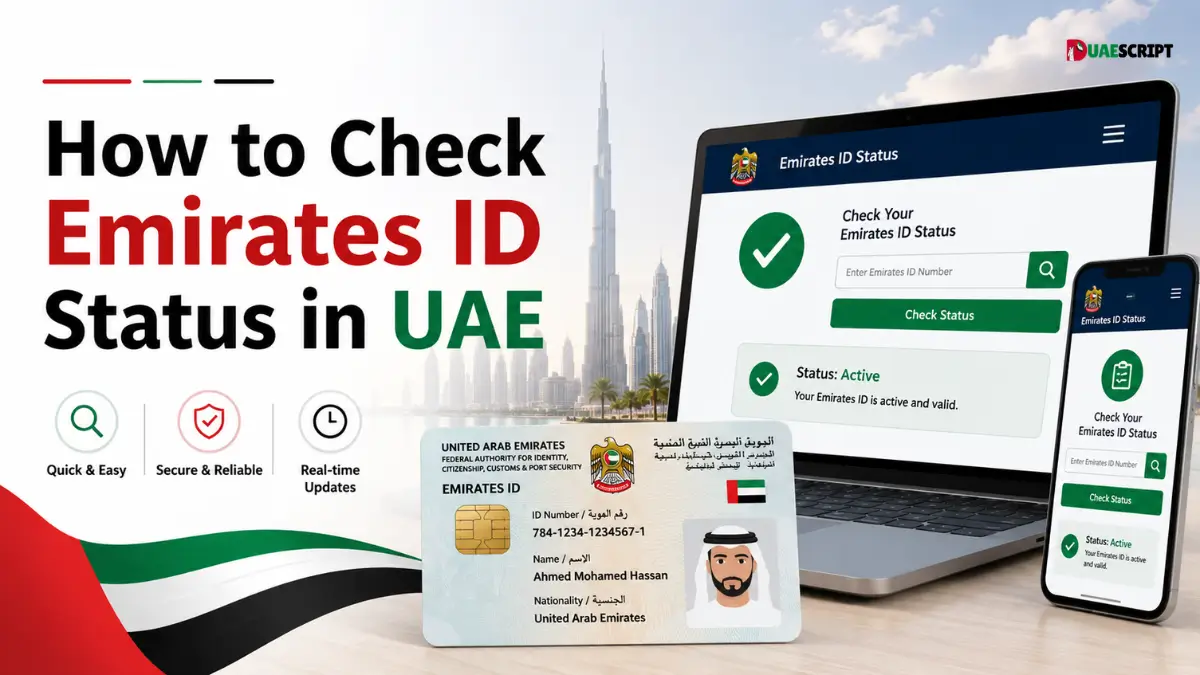
The most widely used method to check Emirates ID status is through the ICP website. The Federal Authority for Identity, Citizenship, Customs & Port Security has an online tracking service that works 24 hours a day.
To check your status, follow the steps below.
- Go to the official ICP website.
- Select the Emirates ID Status check option.
- Input your PRAN or Emirates ID Number.
- Complete the requested verification.
- Select the Status check option.
- Your application Status will display.
Now users can check the status of their application with out visiting a service center.
How to Check the Status of Your Emirates ID with ICP Smart Services
The ICP Smart Services interface provides a portal to many government services that relate to identity, residency, visas, and citizenship. It allows applicants to review details of their applications and helps them monitor status updates.
This service provides status updates directly from government databases in real-time. This service helps diminish the element of uncertainty that applicants face, and provides them the information they are seeking without the need for them to be present to receive an automated response.
How to Check the Status of Your Emirates ID via the UAEICP Mobile App
Checking ID status via a mobile device is the preferred option for many residents of the Emirates. The UAEICP mobile application makes it easier to access identity and residency services anywhere in the Emirates.
After downloading the application, logging in, and tracking applications, users will receive updates regarding their Emirates ID. This mobile application is a great option for residents that travel regularly, or would rather manage their interactions with government services online.
Common Emirates ID Status Messages
There are a number of status messages that you may encounter when checking the status of your application. Each status update provides specific information about the status of the application.
Application Received
This status means that your application is in the system and is being processed.
Under Process
Your information and supporting documents are being verified.
Biometrics Required
In order to process your application, you are required to complete biometric capture at an approved center.
Printing in Progress
The Emirates ID card is in the process of being printed, and your application has been approved.
Card Printed
Your card is successfully printed and is getting ready for shipping.
Dispatched
The card has departed from the printing facility and is en route to the shipping company.
Ready for Collection
Applicants may collect their card from the collection point, if necessary.
Delivered
The applicant has received the Emirates ID.
How Long Does Emirates ID Processing Take?
Processing time can depend on the type of application, the verification of documents, and the scheduling of biometrics. New applications take longer as new applicants may require different verification measures.
Requests for renewals and replacements are usually faster if applicants submit all the required documents. High volumes of applications may cause delays, and so may the applicant if the application requires more information.
What to Do If Emirates ID Status Is Delayed
Sometimes the processing of applications can take longer than the expected time frame. In this case, applicants should start by verifying that the tracking number was entered correctly.
If processing is still delayed, verify that biometric registration has been completed, and that all required documents have been submitted. For more clarification on the status of your application, you may contact ICP customer support. For more urgent issues, visiting a Customer Happiness Center may help.
Emirates ID Status vs Emirates ID Validity Check
The status of your Emirates ID application, and the validity of the Emirates ID are two different checks, and they should be treated as such.
An Emirates ID Status Check allows an individual to check the status of an application, renewal, or replacement request. Conversely, an Emirates ID Validity Check allows an individual to verify the status of an existing Emirates ID to determine if it is still active and if it is not close to expiring.
These distinctions allow users to select the correct service to meet their specific needs.
Things to Consider Before Checking Status of Emirates ID
Here are some things you can do to improve user experience when tracking the status of your Emirates ID.
Use official government services to check the status of your application. Do not access third party or unverified websites to check your application status, as they may provide false information or prompt you to give personal information unnecessarily.
Keep your application receipt and Emirates ID details along with your active mobile number, as notifications and updates may be sent via SMS. Do not check the status of your application multiple times a day, as this may lead to disappointment.
Final Thoughts
Thanks to the digital services of the UAE government, checking the Emirates ID status in the UAE is simple. You can get important status updates in just a few minutes using the ICP website, Smart Services portal, or the UAEICP mobile application.
Understanding the status messages and various stages of an application allows the user to be proactive and mitigate the consequences of application processing delays. For a reliable tracking experience, keep your application details and check status via official channels.
FAQ’s
1. Where can I go to see Emirates ID status online?
You can go to the official ICP website with your Emirates ID number or your PRAN.
2. What is the PRAN number?
PRAN is the Personal Registration Acknowledgment Number, which you receive after submitting your application.
3. Can I see the Emirates ID status on mobile?
Yes, you can see it in the UAEICP mobile app.
4. How long does it take to process the Emirates ID?
There are processing times based on the type of application and the type of verifications required.
5. What does ‘Card Printed’ mean?
The Emirates ID is manufactured, and the card is getting ready to sent out.
6. Why is the application taking so long to process?
It may be taking long due to completing biometric appointments, verifying documents, or processing a high volume of applications.
7. Is it possible to track a renewed Emirates ID?
Yes, you can also track the renewal application online.
8. What can I do if my Emirates ID is delayed?
You can confirm your details and contact official support for ICP.
9. Is the Emirates ID required in the UAE?
It is required by law in the UAE for all citizens and residents to possess an Emirates ID.
10. Can I see Emirates ID validity online?
Yes, you can see the Emirates ID validity and expiry date in the online UAE Government Services.
More to Read:
NBAD Balance Inquiry Online in UAE | How to Check FAB, Ratibi, Salary Card and Prepaid Card Balance?
Guide to Ratibi Card Salary Check By ATM
Common Problems During Checking ATM Balance
Share this article

Written by : UAE Script Staff
Follow us
A quick overview of the topics covered in this article.
- What’s Emirates ID in UAE?
- Reasons You May Need to Check Emirates ID Status
- What you need to Check the Emirates ID Status
- Checking Emirates ID Status Online Through ICP
- How to Check the Status of Your Emirates ID with ICP Smart Services
- How to Check the Status of Your Emirates ID via the UAEICP Mobile App
- Common Emirates ID Status Messages
- How Long Does Emirates ID Processing Take?
- What to Do If Emirates ID Status Is Delayed
- Emirates ID Status vs Emirates ID Validity Check
- Things to Consider Before Checking Status of Emirates ID
- Final Thoughts
- FAQ’s
- 1. Where can I go to see Emirates ID status online?
- 2. What is the PRAN number?
- 3. Can I see the Emirates ID status on mobile?
- 4. How long does it take to process the Emirates ID?
- 5. What does ‘Card Printed’ mean?
- 6. Why is the application taking so long to process?
- 7. Is it possible to track a renewed Emirates ID?
- 8. What can I do if my Emirates ID is delayed?
- 9. Is the Emirates ID required in the UAE?
- 10. Can I see Emirates ID validity online?