
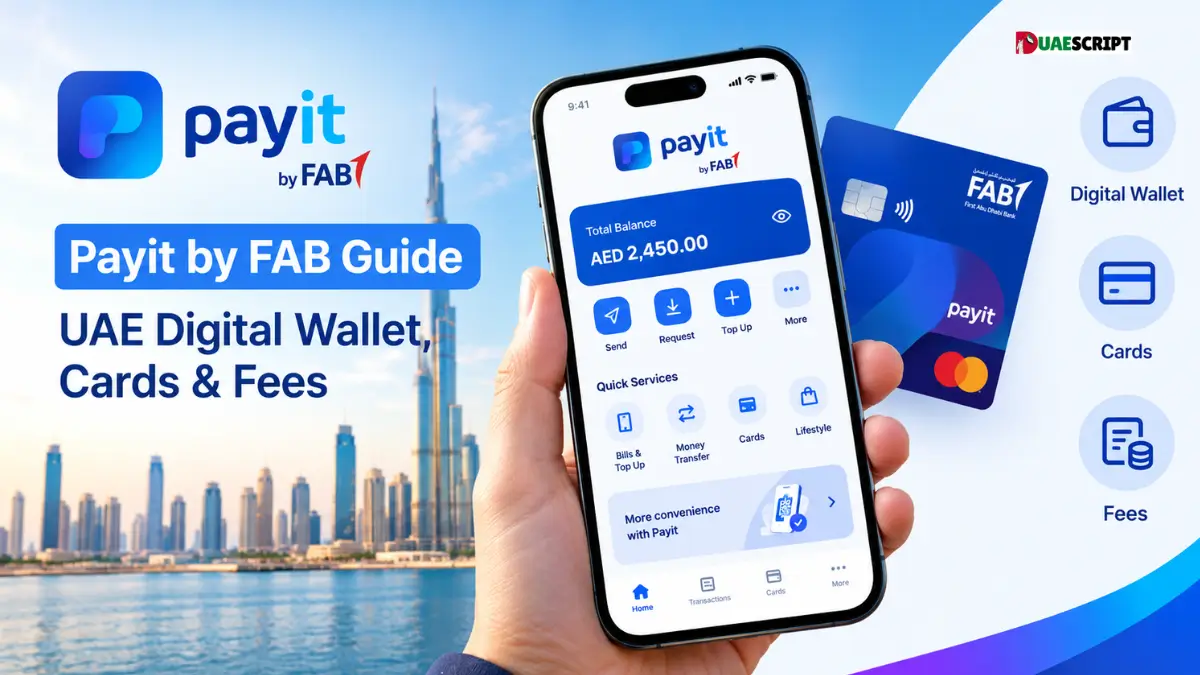
Try opening a standard bank account in the UAE when your monthly salary sits under AED 5,000, and you will hit a brick wall fast. Most retail banks either turn you away at the door or ask you to keep AED 3,000 locked in the account just to avoid getting hit with a AED 25 penalty every single month. For millions of expats, freelancers, new arrivals, and domestic workers, that creates a real problem—especially in a country where you need a card or digital wallet for everything from topping up your Nol card to ordering groceries.
That is the exact gap Payit by First Abu Dhabi Bank (FAB) was built to fill.
Instead of making you visit a branch or maintain a minimum balance, Payit operates as a full digital wallet and zero-balance account right on your phone. The moment you register with your Emirates ID, the app gives you a proper UAE IBAN and a virtual card. You do not need an existing FAB bank account to sign up, and you can use it to receive your monthly salary, pay local bills, or send money home to over 200 countries.
If you are thinking about downloading Payit—or even switching your salary over to it—here is an honest look at how the app actually works day-to-day, the difference between Payit Universal and Payit Plus, and the hidden fees you should watch out for.
What is Payit by FAB and How Does It Work?
Think of Payit as the middle ground between a basic cash app and a traditional bank account. Because it is owned and run by First Abu Dhabi Bank (the UAE’s largest bank), your money sits inside a regulated banking system rather than an unknown third-party startup.
Once you verify your Emirates ID in the app, Payit assigns you a unique IBAN. That IBAN is what makes Payit so practical: to your employer or anyone sending you money from another UAE bank, your Payit wallet looks and acts just like a normal bank account.
Getting money into a digital wallet is usually the biggest headache, so Payit gives you four straightforward ways to top up your balance:
-
Your Monthly Salary: Give your Payit IBAN to your company’s HR or finance team, and your salary lands directly inside the app on payday.
-
FAB Cash Deposit Machines (CDMs): If you have physical cash in hand, walk up to any First Abu Dhabi Bank ATM/CDM across the UAE, choose the cardless deposit option on the screen, punch in your mobile number, and feed the notes into the machine. It is instant and completely free.
-
Any UAE Debit or Prepaid Card: You can load money straight from another UAE bank’s Visa, Mastercard, or Jaywan debit card. If your company pays you on a FAB Ratibi payroll card, you can link it directly inside Payit in a couple of taps.
-
Local Bank Transfers: Anyone with a UAE bank account (Emirates NBD, ADCB, Mashreq, etc.) can transfer dirhams to you using your Payit IBAN.
Payit Account Types: Universal vs. Payit Plus
Everybody who downloads Payit starts in the same place, but how the app treats you depends on whether you use it as a casual spending wallet or an actual salary account.
| Feature | Payit Universal Account | Payit Plus (Salary Account) | Standard UAE Bank Account |
| Best For | Everyday spending, students, & freelancers | Employees earning AED 5,000 or less | Salaried professionals earning AED 5,000+ |
| Minimum Balance Fee | AED 0 | AED 0 | AED 25 – AED 105/month (if under AED 3,000) |
| Dedicated UAE IBAN | Yes (Instant) | Yes (Instant) | Yes |
| Physical Letsgo Card | AED 25 one-time fee | Free (Virtual & Physical) | Free |
| FAB ATM Withdrawals | Free | Free | Free |
| Cash Advance (Lending) | Not available | Available for eligible users | Requires credit card or loan approval |
Payit Universal Account (For Everyday Spending)
When you first sign up, you get a Payit Universal Account. You don’t need a salary transfer to keep it open, and there are zero monthly maintenance charges. You immediately get a virtual Letsgo Payit Card for online shopping, and you can use the app to pay DEWA or Etisalat bills, split dinner tabs with friends, or send remittances back home. If you want a physical plastic card for ATM use, it costs a one-time fee of AED 25.
Payit Plus Account (The Digital Salary Account)
If you earn AED 5,000 or less, Payit Plus is easily one of the most useful financial products in the Emirates. You don’t have to fill out a separate application for it—the moment your employer sends your salary to your Payit IBAN, your Universal account automatically upgrades to Payit Plus.
Upgrading to Payit Plus gets you a few solid perks:
-
Free Physical Card: The AED 25 card issuance fee is waived. Payit couriers a physical Letsgo Payit card to your address for free.
-
Welcome Cashback Bonus: New Payit Plus users frequently get a AED 50 welcome bonus after receiving three consecutive salaries or spending AED 5,000 within their first 90 days.
-
Free Local Bank Transfers: Sending money to other UAE bank accounts and withdrawing cash at FAB ATMs costs nothing.
Nafis and Ratibi Users
Payit also acts as the main portal for two massive groups in the UAE. First, Emirati nationals enrolled in the government’s Nafis program have a dedicated section right inside the app to receive and manage their federal benefits. Second, if your employer pays you via a FAB Ratibi card, linking that card to Payit turns a basic payroll card into a proper smartphone banking app with international money transfer access.
Core Features: What Can You Actually Do on the Payit App?
Instead of making you bounce between exchange house apps, telecom apps, and transport kiosks, Payit packs almost every daily UAE payment into one dashboard.
1. Sending Money Home (200+ Countries)
If you are an expat, exchange rates and transfer fees matter more than flashy app design. Payit partners directly with MoneyGram and major international banks to let you send money to over 200 countries.
-
Strong Rates on Busy Routes: If you are sending money to India, Pakistan, the Philippines, Egypt, Bangladesh, Sri Lanka, or the UK, Payit’s exchange rates are usually right on par with major UAE exchange houses—and they regularly run zero-fee promotions for your first few transfers.
-
How the Receiver Gets It: Depending on the country, you can send cash straight to an overseas bank account, drop it into a local mobile wallet (like GCash, JazzCash, or EasyPaisa), or generate a code so your family can pick up physical cash at any MoneyGram agent within minutes.
2. “Cash on Demand” & Send Now, Pay Later
Running short on cash ten days before payday is stressful, especially when you don’t qualify for a bank credit card. For eligible Payit Plus and Ratibi salary users, Payit offers an in-app micro-loan feature called Cash on Demand (as well as Send Now, Pay Later for urgent overseas transfers).
-
Depending on your salary history, you can borrow between AED 100 and AED 4,000 instantly inside the app.
-
There is no confusing compounding interest. Instead, Payit charges a flat, upfront processing fee (starting at AED 15 + VAT for small amounts under AED 300), and the money is automatically deducted the next time your salary hits your account.
3. Paying UAE Bills, Tolls, and Domestic Workers
You can clear almost all your monthly UAE bills in under a minute:
-
Mobile & Wi-Fi: Instant top-ups and postpaid bill payments for e& (Etisalat), Du, and Virgin Mobile.
-
Water & Electricity: Works directly with DEWA (Dubai), TAQA / ADDC (Abu Dhabi), SEWA (Sharjah), and EtihadWE (Northern Emirates).
-
Driving & Public Transport: Top up your Salik balance, recharge your Dubai Nol Card, pay Abu Dhabi Darb tolls, and settle Mawaqif parking tickets.
-
School Fees & Domestic Help: You can pay tuition fees to partner UAE schools and process official salary transfers to your household staff (maids, nannies, or drivers) right from your phone.
4. Splitting Bills and QR Payments
If you go out for dinner with friends, one person can pay the bill and use Payit’s Split Bill feature to divide the cost and ping everyone else for their share. You can also pay at thousands of local grocery stores and cafeterias just by scanning their merchant QR code at the counter.
The Letsgo Payit Card (Visa & Jaywan Options)
Every Payit account comes with a Letsgo Payit Card. Your virtual card shows up in the app the second your account is verified, and you can order a physical card to keep in your wallet.
-
Visa and Jaywan Options: Alongside the standard Letsgo Payit Visa Card, Payit now issues the Letsgo Jaywan Card—which runs on the UAE’s own national payment network. Both cards work smoothly across shops, supermarkets, and ATMs throughout the Emirates.
-
Works with Apple Pay, Google Pay, and Samsung Wallet: You don’t even have to wait for the physical plastic card to arrive in the mail. You can add your virtual Letsgo card directly to Apple Pay, Google Wallet, or Samsung Wallet and tap your phone to pay at the metro, Lulu, Carrefour, or your local Baqala.
-
Personal QR Code on the Back: Physical Letsgo cards have a unique QR code printed on the back. If a friend owes you AED 50 and also uses Payit, they can just scan the back of your card with their phone camera to send you the money instantly.
-
Discounts & Entertainer Perks: Using your card earns you Payit Rewards points (which you can swap for gift vouchers) and unlocks discounts across 100+ local dining and shopping outlets. If you opt for the Jaywan card, you also get access to Buy-One-Get-One-Free offers on the Jaywan Entertainer app and hotel discounts at chains like Jumeirah and Accor.
How to Open a Payit Account Step-by-Step?
As long as you have your physical Emirates ID in your hand, you can set up the entire account from your couch in about three minutes.
-
Grab the App: Download Payit Mobile Wallet from the Apple App Store, Google Play Store, or Huawei AppGallery.
-
Enter Your UAE Phone Number: Open the app, pick your language (English, Arabic, Hindi, or Urdu), type in your +971 mobile number, and enter the 6-digit SMS code sent to your phone.
-
Scan Your Emirates ID: Line up the front and back of your original physical Emirates ID with your phone’s camera. (If you have UAE PASS set up on your phone, you can also verify your identity through that in one tap).
-
Take a Quick Selfie: The app will ask you to look into the camera for a two-second live facial scan to confirm the ID actually belongs to you.
-
Create Your PIN: Set a 4-digit security PIN. Once you do that, your account, UAE IBAN, and virtual Letsgo card are live and ready to use.
Payit Fees, Charges, and Honest Pros & Cons
Payit does not trap you with monthly maintenance fees, but like any financial app, they make money on certain transactions. Knowing where the fees are will save you dirhams every month.
The Real Fee Breakdown
-
Account Opening & Monthly Fee: AED 0
-
Virtual Letsgo Card: AED 0
-
Physical Letsgo Card: Free for Payit Plus salary users; AED 25 one-time fee for Universal users (and AED 25 if you lose your card and need a replacement).
-
Using FAB ATMs (Withdrawals & Deposits): AED 0 (Always free across the UAE).
-
Using Non-FAB ATMs in the UAE: AED 2.10 (including VAT) per withdrawal, and AED 1.05 just to check your balance. Tip: Always check your balance inside the phone app for free, and stick to blue FAB ATMs whenever you need cash.
-
Using ATMs Outside the UAE: AED 6 at ATMs in GCC countries; AED 20 at international ATMs elsewhere.
-
Sending Money to Another Payit User: AED 0.
Honest Pros & Cons
What’s Great About It:
-
Zero-Balance Peace of Mind: Your balance can sit at AED 0.00 for six months and you won’t be charged a single fil in penalties.
-
FAB ATM Network: Because First Abu Dhabi Bank has ATMs in almost every mall, metro station, and neighborhood in the UAE, finding a free machine to deposit or withdraw cash is super easy.
-
Lifesaver for Lower Salaries: If you earn under AED 5,000, Payit Plus gives you the dignity of a real IBAN, Apple/Google Pay, and emergency salary advances without bank rejection headaches.
What Could Be Better:
-
Using Other Banks’ ATMs Costs Money: That AED 2 fee at non-FAB ATMs adds up quickly if you pull out small amounts of cash several times a week.
-
Customer Support Can Be Slow: Everything is smooth when the app works as intended. However, if an international transfer gets delayed or an ATM swallows your cash, getting an update from customer support (
help@payit.aeor the call center) can sometimes take a few frustrating days. -
No Cheque Books: Since Payit is a digital wallet rather than a traditional checking account, you cannot get a physical cheque book to pay your annual apartment rent.
Frequently Asked Questions (FAQs)
1. Do I need a First Abu Dhabi Bank (FAB) account to use Payit?
No, not at all. Payit is open to anyone living in the UAE regardless of who they bank with—or even if they don’t have a bank account yet. All you need is a valid Emirates ID and a UAE mobile number.
2. Is there a minimum salary or minimum balance required for Payit?
No. There is zero minimum balance required to keep the account open, and no minimum salary threshold to register. You will never be charged a monthly fall-below fee.
3. How do I upgrade my account from Payit Universal to Payit Plus?
Open your Payit app, tap on your Profile to find your dedicated Payit IBAN, and give that IBAN to your company’s HR department. Once your first monthly salary hits your Payit wallet, the app upgrades you to Payit Plus automatically.
4. How can I withdraw physical cash from my Payit wallet?
You have two options: you can insert your physical Letsgo Payit card into any ATM like a normal debit card, or you can use the Cardless Cash Withdrawal button inside the Payit app to pull out cash for free at any First Abu Dhabi Bank (FAB) ATM.
5. Is it actually safe to keep my salary in Payit?
Yes. Unlike standalone fintech apps, Payit is owned and operated by First Abu Dhabi Bank (FAB) and regulated by the Central Bank of the UAE. Your account is locked behind biometric facial recognition, a 4-digit MPIN, and 3D Secure protection for online payments.
6. What is the difference between the Letsgo Payit Visa Card and the Letsgo Jaywan Card?
Both cards pull money from your Payit wallet balance and work with Apple Pay, Google Pay, and Samsung Wallet. The Visa card uses Visa’s global network (great if you travel abroad or shop on overseas websites), while the Jaywan card runs on the UAE’s national domestic card network and comes with local perks like Buy-One-Get-One offers on the Jaywan Entertainer app.
7. Can tourists or people on a visit visa open a Payit account?
No. Because Payit generates a local UAE IBAN, Central Bank regulations require a valid, physical Emirates ID to pass the identity verification step.
8. How much does Payit charge to send money internationally?
It depends on where you are sending the money and how it is being received. Major routes like India, Pakistan, and the Philippines often have zero-fee promotions for bank and wallet transfers, while standard international transfers or MoneyGram cash pick-ups usually cost between AED 10 and AED 45. You can see the exact fee and exchange rate on screen before you hit send.
9. How do I qualify for Payit’s “Cash on Demand” loan?
Cash on Demand is only unlocked for selected Payit Plus and linked Ratibi cardholders whose salaries are paid consistently through the app. If you qualify, the Cash on Demand icon will light up on your home screen showing your approved limit (anywhere from AED 100 to AED 4,000).
10. How do I deposit cash into Payit without paying any fees?
Find any First Abu Dhabi Bank (FAB) ATM that accepts cash deposits (CDM). Tap the screen for cardless services, select Payit Deposit, type in your registered mobile number and the OTP code sent to your phone, and place your dirham notes into the slot. The money appears in your app right away with zero fees.
Related:
How to Check NBAD / FAB Ratibi Card Statement Online?
5 FAB Prepaid Cards in UAE | Features, Uses & Benefits
NBAD Balance Inquiry Online in UAE | How to Check FAB, Ratibi, Salary Card and Prepaid Card Balance?
Share this article

Written by : Barika Awad
Barika Awad is a writer at UAE Script, sharing insightful content on fashion, lifestyle, and personal style with a focus on practical, elegant ideas.
Follow us
A quick overview of the topics covered in this article.
- What is Payit by FAB and How Does It Work?
- Payit Account Types: Universal vs. Payit Plus
- Core Features: What Can You Actually Do on the Payit App?
- The Letsgo Payit Card (Visa & Jaywan Options)
- How to Open a Payit Account Step-by-Step?
- Payit Fees, Charges, and Honest Pros & Cons
- Frequently Asked Questions (FAQs)
Latest articles

October 23, 2026
October 23, 2026