
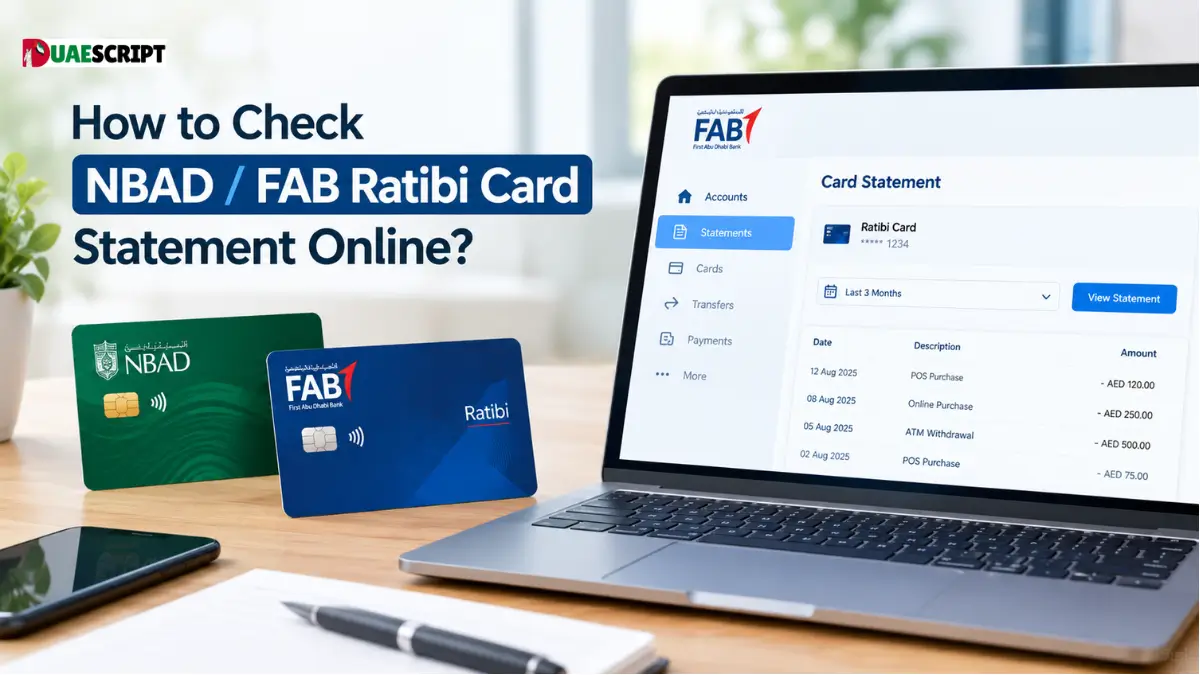
Managing your personal finances starts with knowing exactly where your money comes from and where it goes. For hundreds of thousands of workers across the United Arab Emirates, the Ratibi salary card serves as the main bridge between employer payroll and day-to-day spending.
Whether you need to confirm that your monthly wages have cleared, monitor everyday retail expenses, or print out a formal transaction history for a visa application, accessing your statement is essential.
Here is a comprehensive walk-through of everything you need to know about checking, downloading, and understanding your Ratibi card statement, online and offline.
1. What Is the Ratibi Salary Card? (NBAD vs. FAB Explained)
If your card carries the branding of the National Bank of Abu Dhabi (NBAD), you might occasionally wonder why most modern banking links point toward First Abu Dhabi Bank (FAB).
In early 2017, NBAD merged with First Gulf Bank (FGB) to establish First Abu Dhabi Bank (FAB). Because the NBAD Ratibi product was widely recognized throughout the region, many cardholders and employers still call it the “NBAD Ratibi Card.” Today, all underlying backend infrastructure, customer service channels, and online payment portals are operated directly by FAB.
Designed for the UAE Wages Protection System (WPS)
The UAE government created the Wages Protection System (WPS)—an electronic salary transfer system overseen by the Central Bank of the UAE and the Ministry of Human Resources and Emiratisation (MOHRE)—to guarantee that workers receive their contractual compensation on time.
The Ratibi payroll card was designed specifically for this framework. It provides employees who earn up to AED 5,000 per month with a safe, direct, and unbanked payroll channel without the strict minimum balance rules or paperwork requirements of conventional checking accounts.
2. Understanding Your Ratibi Account Structure
A Ratibi card is technically a stored-value, prepaid payroll card, not a standard current account:
- No Minimum Balance Penalties: Unlike conventional bank accounts that fine users if balances drop below a fixed threshold, your Ratibi card balance can safely drop to AED 0 without incurring fees.
- No Traditional Cheque Book: Because there is no underlying checking facility, you cannot issue personal cheques against the card.
- Complimentary Safety Nets: Most active Ratibi cards come bundled with basic personal accident insurance cover, offering added protection for workers.
- SMS Transaction Alerts: Cardholders receive instant notifications whenever salaries are deposited or significant debits take place.
Because it operates as a prepaid payroll instrument, you do not automatically receive a thick paper statement delivered to a home mailbox every 30 days. Instead, records are maintained digitally, ready for on-demand review whenever you need them.
3. How to Check Your Ratibi Statement & Balance Online?
Accessing your transaction records online is the quickest way to track incoming payroll, review point-of-sale debits, and spot unauthorized transactions. You have three primary digital pathways.
Method A: The Magnati Prepaid Card (PPC) Portal
FAB’s merchant and prepaid processing arm, Magnati, hosts a lightweight web portal that lets cardholders inspect their available funds and recent card debits without requiring a full internet banking login ID.
- Step 1: Open your web browser and visit the prepaid inquiry portal (ppc.magnati.com or the FAB Prepaid Card Balance portal).
- Step 2: Locate the input field asking for your Card Number.
- Step 3: Enter the last 2 digits of your 16-digit card number.
- Step 4: Enter your unique Card ID (this is the 10-digit or 12-digit identification number printed on the bottom-left or back of your physical card).
- Step 5: Solve the quick on-screen security CAPTCHA.
- Step 6: Click “Go” or “Submit.”
Once submitted, the screen refreshes to display your real-time available balance along with a table of your most recent transactions, showing dates, merchant descriptions, and amounts.
Method B: The FAB Mobile Banking App
If your card was registered with your verified mobile number and Emirates ID during employer onboarding, you can access your profile via FAB Mobile Banking:
- Download the FAB Mobile application from the Google Play Store, Apple App Store, or Huawei AppGallery.
- Select the registration pathway for Prepaid Cardholders.
- Type in your primary 16-digit card number along with the expiry date printed on the front.
- Input the One-Time Password (OTP) sent to your registered mobile device.
- Set up your secure passcode or biometric login (fingerprint/Face ID).
Once logged in, tap on your active Ratibi card tile. From here, you can review rolling transaction history, track merchant debits, and download monthly statements in password-protected PDF formats.
Method C: The Payit Digital Wallet
FAB also powers Payit, a digital wallet widely used across the UAE:
- You can link your Ratibi card directly to the Payit app using your registered Emirates ID and mobile number.
- Once linked, Payit allows you to view remaining card funds, pay utility bills (such as DEWA, SEWA, or Etisalat/du), recharge mobile credits, and send cross-border remittances back home directly from your wage balance.
- Payit keeps an organized electronic ledger of every outbound payment you make through the application.
4. Offline Ways to Get Statements and Check Balance
If you find yourself without an active internet connection or need a physical printout immediately, you can retrieve your details offline.
1. FAB ATMs and Cash Deposit Machines (CDMs)
FAB operates a large fleet of automated teller machines throughout shopping malls, metro stations, industrial hubs, and labor communities.
- Insert your Ratibi card into the card reader slot of any FAB ATM.
- Choose your preferred language (English, Arabic, Hindi, Urdu, Malayalam, or Bengali).
- Enter your confidential 4-digit PIN on the numeric keypad.
- From the main menu, select Mini-Statement.
- The machine will print a paper slip listing your available balance along with your last 5 to 10 transactions.
Note: Mini-statement receipts from FAB-branded ATMs are usually free of charge. Using non-FAB ATMs via the UAE Switch network may incur a nominal transaction fee.
2. Calling the Dedicated Customer Service Lines
If you encounter online errors or suspect fraudulent activity, telephone support is available around the clock:
- Ratibi Dedicated Customer Helpline: 600 522 298
- General FAB Support Hotline: 600 525 500
Listen to the automated voice prompts, choose your preferred language, enter your 16-digit card number when prompted, and follow the voice menu to hear your current ledger balance or speak with an agent.
3. Visiting a FAB Branch or Customer Center
If you require an official stamped 3-month or 6-month statement (often requested for embassy visa paperwork, personal finance, or dispute arbitration), digital screenshots and ATM slips may not suffice.
- Visit any physical FAB branch or dedicated service counter.
- Bring your original Emirates ID and your physical Ratibi card.
- Request an official stamped statement of account from the customer service desk.
- Keep in mind that standard bank administrative service fees may apply for generating stamped, physical bank statements.
5. How to Read and Decipher Your Ratibi Statement?
Card statements use standard financial terms that can occasionally cause confusion. Here is a breakdown of what each line item represents:
| Statement Term | What It Means | Impact on Balance |
| Credit / CR | Inbound funds added to your card (such as monthly wage payments, employer adjustments, or merchant refunds). | Increases your balance |
| Debit / DR | Outbound funds taken from your card (cash withdrawals, card swipes at grocery stores, utility payments). | Decreases your balance |
| WPS Salary Upload | The automated electronic transfer from your employer’s bank account via the government WPS pipeline. | Increases your balance |
| ATM Cash WDL | Physical cash dispensed to you at an ATM terminal. | Decreases your balance |
| POS Transaction | Point-of-Sale card swipe or contactless tap at a supermarket, restaurant, or retail store. | Decreases your balance |
| UAE Switch Fee | A small administrative fee applied if you withdraw cash or check balances at a non-FAB machine. | Decreases your balance |
6. Troubleshooting Common Ratibi Card Issues
“Invalid Card ID” on the Magnati Portal
Ensure you are entering the Card ID and not confusing it with your 16-digit card number or employee ID number. The Card ID is a distinct identifier found on your card face or reverse. Clear your browser cache or switch from your phone browser to a desktop browser if the CAPTCHA continually fails.
Salary Has Not Arrived
If coworkers have received their pay and yours has not updated, do not panic immediately. First check with your company’s PRO or HR payroll department. Salary disbursements run in batches through the central WPS system, and slight processing delays can occur between employer authorization and bank release.
Card Swallowed by an ATM
If an ATM retains your card due to technical faults or entering the wrong PIN three consecutive times, contact FAB customer support immediately at 600 522 298 to temporarily freeze the card. You will need to contact your company’s HR department to request a replacement card run through their corporate payroll portal.
7. Security Best Practices: Protecting Your Hard-Earned Money
Because prepaid payroll cards function like cash in hand, guarding your credentials is vital:
- Memorize Your ATM PIN: Never write your 4-digit PIN on the card itself, keep it written in your wallet, or share it with friends, roommates, or store clerks.
- Beware of Phishing Phone Calls: Scammers frequently call blue-collar workers pretending to represent the Central Bank, FAB, or immigration authorities. They claim your card is blocked and ask for your card number, Card ID, or SMS OTP. FAB and police agencies will never call you to ask for your PIN or OTP.
- Verify ATM Hardware: Before inserting your card into a terminal, ensure the card slot and keypad look secure and free from loose plastic pieces, skimming wires, or hidden cameras.
8. Summary of Statement Checking Channels
| Channel | Best Used For | Associated Cost |
| Magnati PPC Portal | Quick balance and recent transaction checks | Free |
| FAB Mobile App | Full digital transaction logs & PDF downloads | Free |
| FAB ATM Terminals | Printed mini-statements (last 5–10 transactions) | Free |
| Non-FAB ATMs | Quick balance inquiries on the go | Nominal UAE Switch fee |
| FAB Branch Counters | Official stamped 3–6 month paper statements | Standard service charges apply |
Frequently Asked Questions (FAQs)
1. Is NBAD Ratibi the same as FAB Ratibi?
Yes. NBAD merged with First Gulf Bank to become FAB. All NBAD Ratibi cards are fully serviced and managed by First Abu Dhabi Bank.
2. Can I view my Ratibi statement without internet access?
Yes. You can visit any FAB ATM to print a mini-statement showing your latest transactions, or call customer support at 600 522 298.
3. How much does it cost to check my statement online?
Checking your balance and reviewing recent activity through the official Magnati portal or FAB mobile app is completely free.
4. What information do I need to log into the Magnati portal?
You only need the last two digits of your 16-digit card number and your unique Card ID printed on the card.
5. Can I get an official stamped 6-month statement for a travel visa?
Yes. You must visit a FAB physical branch with your original Emirates ID and your Ratibi card to request an officially stamped statement.
6. Why did an ATM charge me a fee to check my balance?
Checking your balance or withdrawing cash at an ATM belonging to another bank uses the UAE Switch network, which carries a small interchange fee. FAB ATMs are free.
7. How long does it take for a deposited salary to show up?
Once your employer’s corporate payroll file is approved through the Wages Protection System, funds typically reflect in your balance within hours.
8. Can my employer see what I spend my money on?
No. Your employer can only confirm whether funds were successfully deposited. Your individual purchases, withdrawals, and merchant transactions remain strictly private.
9. What should I do if I lose my Ratibi card?
Call FAB customer service immediately at 600 522 298 to block the card, then report the loss to your company’s HR department to issue a replacement.
10. Can I use the Ratibi card for online shopping?
Yes, as long as your card carries the Visa or Mastercard logo and your employer has enabled online transaction features on the master corporate account.
Related:
Top 10 Cashback Credit Cards in UAE | Compare the Best Options
Mashreq Prepaid Cards | Types, Online Access, Application & Activation Guide
How to Check Etisalat Number? | The Complete UAE Guide (2026)
Share this article

Written by : Barika Awad
Barika Awad is a writer at UAE Script, sharing insightful content on fashion, lifestyle, and personal style with a focus on practical, elegant ideas.
Follow us
Latest articles

October 29, 2026