Few things break your driving flow in Dubai quite like receiving an SMS that your Salik balance is low while you are already heading toward Sheikh Zayed Road.
If you are like most drivers, you probably do not have your 8-digit Salik account number memorized. Hunting down a forgotten four-digit security PIN in your glove box or old emails while trying to top up is frustrating.
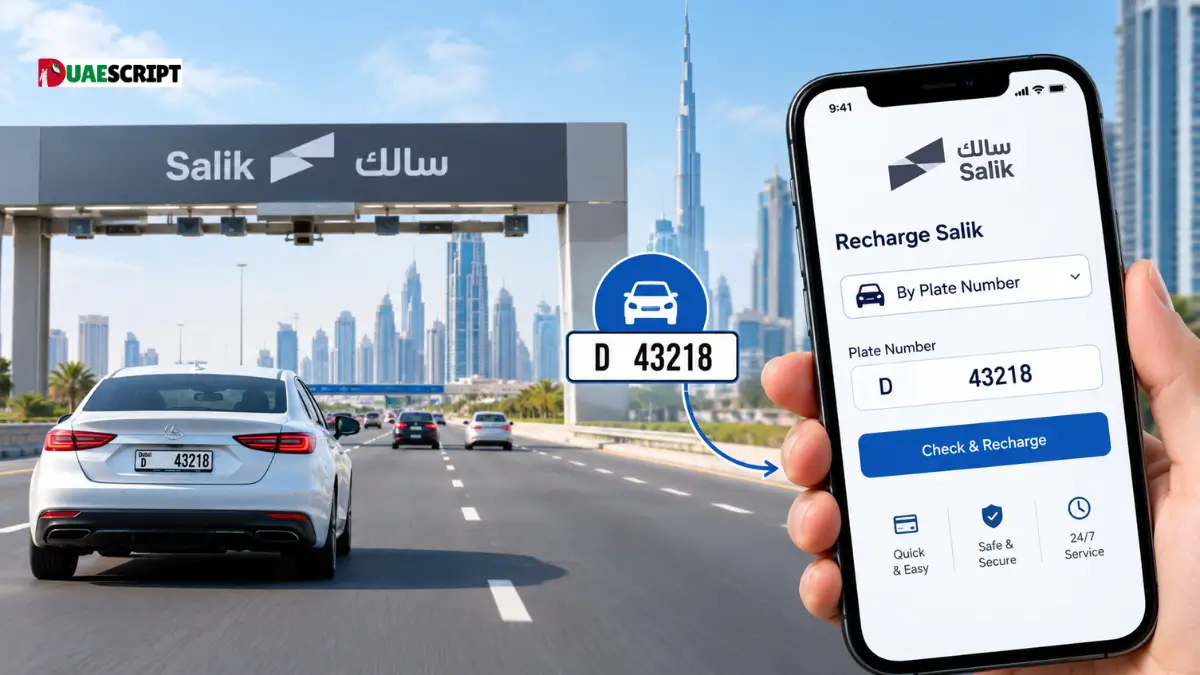
Fortunately, the Roads and Transport Authority (RTA) and Salik provide a straightforward workaround: you can recharge your Salik account using only your vehicle’s license plate number and your registered phone number. No complex account logins, no forgotten passwords, and no need to hunt for paperwork.
This guide walks you through every reliable way to recharge Salik by plate number, whether you want to use the official website, mobile apps, self-service kiosks, or a quick phone call.
What You Need Before You Begin
Recharging with a plate number bypasses the traditional login screen, but you still need a few basic details on hand to ensure the funds land in the right account:
- Emirate of Registration: The emirate where the vehicle is registered (Dubai, Abu Dhabi, Sharjah, Ajman, Ras Al Khaimah, Fujairah, or Umm Al Quwain).
- Plate Category & Code: For example, Dubai “Private” with code “A”, “B”, or “AA”.
- Plate Number: The actual number printed on your car’s physical license plate.
- Registered Mobile Number: The mobile number linked to your vehicle’s traffic file. This is crucial because Salik sends a one-time password (OTP) or confirmation to this number.
- Payment Option: A valid credit or debit card, Apple Pay, or the 12-digit number from a physical Salik scratch card or e-voucher.
Method 1: Recharging via the Official Salik Website (Quick Pay)
The Salik website features a “Quick Pay” function specifically designed for drivers who want to pay without logging into a full profile. This is the fastest desktop and browser method.
Step-by-Step Instructions:
- Open the Quick Pay Page: Go to the official Salik website (salik.ae) and click on Recharge or navigate directly to Quick Pay.
- Choose the Identification Method: Instead of choosing “Salik Account Number,” toggle or select Plate Details.
- Select Your Plate Origin: Choose the emirate where the car is licensed from the dropdown menu (e.g., Dubai).
- Enter Plate Information: Pick your plate category (usually “Private”), enter the plate code (letters), and type in the plate number.
- Verify Your Phone Number: Enter the registered UAE mobile number linked to the traffic file. This prevents unauthorized users from tampering with your account.
- Specify the Recharge Amount: Choose your desired amount. Remember that Salik operates in increments of AED 50 (AED 50, 100, 150, 200, etc.).
- Select Payment and Confirm: You can pay using a credit/debit card, Apple Pay, or by entering the 12-digit PIN of a physical Salik recharge card if you bought one at a petrol station or convenience store.
- Receive Confirmation: Once submitted, you will receive an on-screen transaction receipt and an SMS confirming your updated balance.
Method 2: Recharging Using Mobile Apps
If you prefer doing everything on your smartphone, several official government and consumer apps allow you to top up using just your vehicle details.
1. Dubai Drive App (RTA)
The Dubai Drive app is the RTA’s flagship mobile utility for motorists.
- Download and open the Dubai Drive app.
- Navigate to the Salik Services tab.
- Tap Recharge Salik.
- Select the Vehicle Details option.
- Input your plate source, code, and number.
- Select your payment amount and checkout using your card or Apple Pay/Google Wallet.
2. DubaiNow App
DubaiNow unifies over a hundred city services into a single interface.
- Open the DubaiNow app.
- Under the Driving or Transport section, select Salik.
- Tap on Recharge Account.
- Enter your vehicle registration details (or pull them up instantly if your profile is linked with UAE Pass).
- Complete the transaction using your saved payment card.
3. Careem Pay
Many third-party lifestyle apps now handle bill payments directly through municipal APIs.
- Open the Careem app and tap Careem Pay.
- Select Bills & Top-ups > Salik.
- Tap Add New Account and select By Plate Details.
- Enter the plate origin, code, number, and linked phone number.
- Pay instantly using your Careem Pay wallet or pre-saved debit/credit card.
Method 3: Recharge via 800-SALIK Phone Service (IVR)
If you have a physical recharge card but no internet access while on the move, you can complete the recharge over a automated phone call.
- Dial the toll-free number: 800-SALIK (72545).
- Select your preferred language (Arabic or English).
- Press the prompt for Recharge Salik Account.
- When prompted for your account identifier, choose the option to identify your vehicle using Plate Details.
- Key in your plate details using your phone keypad when prompted by the voice system.
- Enter the 12-digit number concealed under the scratch-off layer on your Salik voucher.
- Listen for the confirmation message and wait for your confirmation SMS.
Method 4: Self-Service Kiosks and Cash Deposit Machines (CDMs)
If you prefer to pay with cash rather than digital cards, physical kiosks are widely distributed across the UAE.
Where to Find Them:
- RTA Customer Happiness Centers: Located across Dubai (e.g., Al Barsha, Deira, Umm Ramool).
- Smart Kiosks: Positioned in major malls, tasjeel centers, and metro stations.
- Bank CDMs: Participating UAE banks (such as Emirates NBD, Dubai Islamic Bank, and Abu Dhabi Commercial Bank) let you pay utility bills through their ATMs and CDMs.
How it Works at a Kiosk:
- Select Salik from the main touch-screen dashboard.
- Choose Recharge by Plate Number.
- Select your Emirate, Plate Code, and Plate Number.
- Verify the details displayed on the screen.
- Insert cash notes into the bill acceptor (notes must be clean and uncreased; kiosks do not return coin change).
- Take your printed receipt and check your phone for the confirmation SMS.
Salik Top-Up Rules, Minimums, and Limits
To prevent unexpected transaction failures, keep these standard regulations in mind:
| Parameter | Rule / Detail |
| Minimum Recharge Amount | AED 50 |
| Recharge Increments | Multiples of AED 50 (AED 50, 100, 150, etc.) |
| Maximum Single Transaction | Up to AED 50,000 |
| Toll Gate Fee | Standard toll rate per gate crossing |
| Grace Period for Low Balance | 5 working days to clear negative balance without a fine |
| Insufficient Funds Violation | AED 50 fine per day after the grace period expires |
How to Check Your Salik Balance by Plate Number?
After topping up, you will naturally want to verify that your balance updated correctly. You do not need an account login for this either:
- Visit salik.ae and select Check My Balance.
- Select By Vehicle Details.
- Enter your plate source, code, and number.
- Input your registered mobile number.
- The screen will instantly display your active available balance, your account status, and whether you have any pending toll trips that have not settled yet.
Alternatively, you can send an SMS or call 800-72545, enter your plate details, and let the automated voice system read out your active balance.
Common Issues & Practical Troubleshooting
1. “Mobile Number Does Not Match Vehicle Records”
This is the most common roadblock motorists encounter. When you purchase a car or move to a new phone carrier, your traffic file might still list an old number.
- Fix: Salik matches the phone number you enter against the RTA traffic file. If they do not match, you cannot complete an OTP verification. You must update your mobile contact details via the RTA website or the Dubai Drive app using UAE Pass.
2. Payment Was Deducted, but Balance Did Not Update
During peak commute hours or system maintenance windows, real-time database syncs can take a few minutes.
- Fix: Wait 15 to 30 minutes. If the balance remains unchanged, keep your bank SMS or payment reference number and contact the Salik support desk at 800-72545 or via email at specialist@salik.ae.
3. Topping Up a Rental Car
If you are driving a rental car in Dubai, do not recharge the plate number directly unless your rental company explicitly instructs you to do so in writing. Rental agencies maintain centralized commercial fleet accounts. When you cross a toll gate, the rental agency logs the charge and adds it to your final rental invoice (often with a small administrative surcharge). Topping up the plate yourself may result in double payment.
Frequently Asked Questions (FAQs)
1. Can I recharge Salik using a plate from another emirate like Abu Dhabi or Sharjah?
Yes. When using the Quick Pay option on the Salik website or apps, select the originating emirate from the “Plate Source” dropdown menu before entering your code and number.
2. Do I need my 4-digit Salik PIN if I use my plate number?
No. Recharging by plate number replaces the PIN requirement with an SMS OTP sent directly to the registered phone number.
3. What is the minimum amount I can recharge using my plate number?
The minimum recharge amount across all digital and physical channels is AED 50.
4. Can I recharge in non-standard amounts, like AED 65 or AED 80?
No. Salik accepts recharges strictly in multiples of AED 50 (e.g., AED 50, AED 100, AED 150).
5. How quickly does the balance reflect in my account?
Recharges made via the website, apps, or self-service kiosks reflect instantly. You will receive an SMS confirmation within seconds.
6. What happens if I drive through a Salik gate with a zero balance?
You are granted a grace period of 5 working days from the date of the crossing to recharge your account. If you top up within this window, the toll is deducted normally without any fine.
7. What is the penalty if I fail to recharge within the 5-day grace period?
If you pass through a toll gate with insufficient funds and do not recharge within 5 working days, you will face an insufficient funds fine of AED 50 per vehicle per day.
8. Can I use a physical scratch card with the plate number method?
Yes. On the Salik Quick Pay page or over the phone, enter your plate details first, and then choose “Recharge Card” as your payment method to input the 12-digit scratch code.
9. Why is the website rejecting my plate details?
Double-check that you selected the correct plate category (e.g., “Private” instead of “Commercial”) and the exact plate code letter. Even a minor mismatch will prevent the system from finding your record.
10. Can I set up automatic recharge using only my plate number?
No. Auto-recharge requires an active, logged-in Salik account linked to a saved credit card. Plate-based recharges are one-off manual transactions.
More to Checkout:
TAMM Traffic Fine Check | How to Check Abu Dhabi Traffic Fines Online?
Bin Yaber Driving Institute Dubai | Courses, Fees, Branches & Contact Guide
Vehicle Registration Renewal in Dubai | Complete RTA Guide
Share this article

Written by : Barika Awad
Barika Awad is a writer at UAE Script, sharing insightful content on fashion, lifestyle, and personal style with a focus on practical, elegant ideas.
Follow us
Latest articles

October 29, 2026