
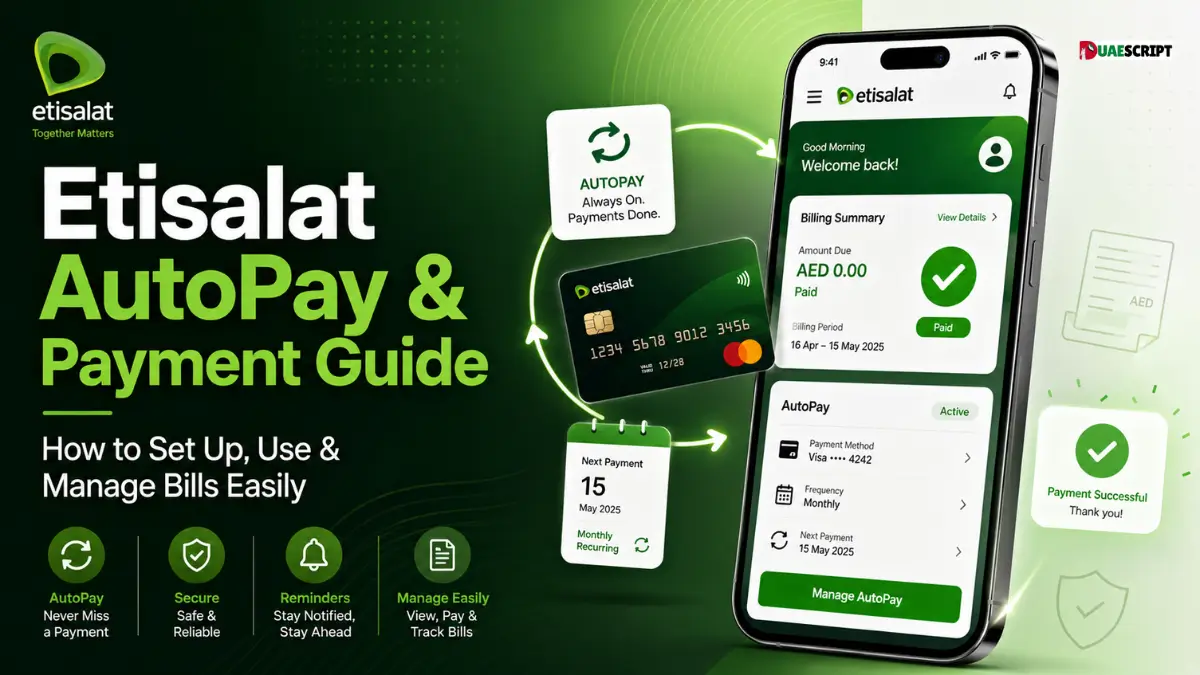
It can be stressful to keep track of your monthly telecom costs, particularly if you have several services such as mobile, internet, and home phone. To simplify this process, Etisalat (e&) offers convenient digital payment solutions, including AutoPay and multiple manual payment options.
Etisalat AutoPay is a feature that is ideal for customers who prefer a convenient service that automatically pays their bills without having to keep track of due dates each month. In addition to AutoPay, Etisalat offers a variety of other payment options, including Quick Pay, mobile app payments, bank transfers, and payment machines.
This comprehensive guide covers everything you need to know about Etisalat AutoPay, from how it works to how to set it up, its benefits, payment options, safety tips, and common problems.
What is AutoPay at Etisalat?
Etisalat AutoPay is an automatic bill payment service that enables customers to connect their debit or credit card to their Etisalat account, which will then automatically pay their monthly bills.
When activated, the system will deduct the bill amount on the due date or as set. This means that there is no need for manual payments and customers can avoid late payment fees or service disruptions.
AutoPay can be used for various Etisalat services, including postpaid mobile plans, home internet, and landline services. This is particularly beneficial for those who value convenience and wish to maintain seamless connectivity.
The process of how Etisalat AutoPay works
Etisalat AutoPay is based on a simple automated system. After you register your card and activate the service, the system works according to your preferences.
Let’s take a look at how it works, step-by-step:
- AutoPay is registered on the Etisalat website or mobile app.
- You choose the account or service you wish to connect.
- Your debit or credit card information is entered securely.
- You choose your payment preference (full bill, fixed amount, or limit-based payment).
- The amount is automatically deducted on the due date.
- If the payment method is valid and has enough funds, the transaction is completed without any manual action.
This system guarantees that your bills are always paid on time, which means that you will not have to worry about any disruption of services.
Benefits of Etisalat AutoPay
There are a number of benefits to using Etisalat AutoPay, which makes bill management easier and more efficient.
1. Convenience
There is no need to make manual payments on bills each month. Payments are automatic once set.
2. Avoid Late Fees
AutoPay guarantees that your bills are paid on time, which helps you to avoid late payment charges.
3. No Missed Payments
All is automated, so there is no risk of missing deadlines.
4. Time-Saving
You save time because you don’t have to pay bills manually each month.
5. Multiple Service Management
AutoPay makes it easy to manage multiple Etisalat services from a single system.
6. Secure Transactions
All payments are made via secure banking channels, ensuring safety.
7. Peace of Mind
No more bill reminders or payment deadlines.
Eligible Services for AutoPay
Depending on account eligibility, multiple services can be used with Etisalat AutoPay. These generally include:
- Postpaid mobile plans
- Home internet (eLife services)
- Landline connections
- The selected prepaid recharge services are listed below.
- Business accounts (some cases)
However, availability may vary depending on your account type and service plan. It is recommended to check your eligibility through the Etisalat app or website.
How to Set Up Etisalat AutoPay
AutoPay can be set up in a number of ways and is a simple process.
Method 1: Using Etisalat Website
- Log in to your Etisalat account
- Go to billing or payment section
- Select AutoPay option
- Enter your card information
- Choose payment preferences
- Confirm activation
Method 2: Using Etisalat Mobile App
- Open the e& UAE app
- Go to “Bills & Payments”
- Select AutoPay
- Enter payment details
- Activate the service
Method 3: Going to a Store
For those who prefer to do it in person, you can go to an Etisalat business center and they will assist you in setting up AutoPay.
You will be notified when activated and bills will be processed automatically thereafter.
Other Etisalat Payment Methods
For customers who prefer manual control, apart from AutoPay, Etisalat provides several flexible payment options.
1. Quick Pay
Quick Pay lets users pay bills immediately without logging into a complete account. Just type in your number and pay with a card.
2. Etisalat App Payment
The e& UAE mobile application allows you to pay bills directly.
3. e& Money Wallet
A digital wallet service that allows bill payments, top-ups, and transfers.
4. Bank Payment
Payments can be made through:
- Online banking
- ATM machines
- Mobile banking apps
5. Payment Machines
Etisalat payment kiosks are located in different places for cash and card payments.
6. Exchange Houses
Authorized exchange centers also accept Etisalat bill payments.
AutoPay vs Quick Pay: Which One is Better?
AutoPay and Quick Pay are used for different purposes.
AutoPay is perfect for those who prefer to pay their monthly bills without having to do anything. It guarantees that bills are settled on time without any user interaction.
Quick Pay, however, is helpful for those who prefer manual control or would like to make a single payment.
Key Difference:
AutoPay = Recurring payments automatically made
Quick Pay = Manual one-time payments
If you prefer convenience and no effort, then AutoPay is better. Quick Pay is better if you want to have control over each payment.
Is Etisalat AutoPay Safe?
Yes, Etisalat AutoPay is safe and secure. It employs secure payment methods and banking channels for transactions.
Users should, however, observe basic safety precautions:
- Only register through official Etisalat channels
- Never share OTPs or card PINs
- Keep an eye on transaction alerts frequently.
- Update expired card information
- Don’t click on links that seem suspicious.
By taking these precautions, you can use AutoPay safely and smoothly.
How to Manage or Cancel AutoPay?
Users can manage or cancel AutoPay anytime.
To update or cancel:
- Log in to the Etisalat app or website.Sign in to the Etisalat app or website.
- Go to payment settings
- Select AutoPay management
- Update the card information or disable the service.
You can also go to an Etisalat store for help.
It is recommended to make changes before the billing cycle to avoid automatic deductions.
Common Etisalat Payment Issues and Solutions.
Sometimes users may face payment-related issues. Common issues and solutions:
1. Payment Failed
Review card balance or call your bank.
2. Card Expired
Make sure to update your card information in AutoPay settings.
3. Bill Not Updated
Refresh your account after a few minutes or wait.
4. AutoPay Not Activated
Re-check activation steps or contact support.
5. Bank Declined Transaction
Check with your bank for authorization problems.
6. Wrong Amount Charged
Review billing cycle or service usage information.
Here are some tips on how to use Etisalat AutoPay effectively.
- Always use an active and valid card
- Monitor monthly usage
- Maintain adequate credit or balance
- Check billing statements frequently
- Update card information before expiration
- Opt for the full payment option for ease of use.
- Allow payment alerts notifications
These simple tips help ensure smooth and error-free usage of AutoPay.
Conclusion
Etisalat AutoPay is a robust and user-friendly solution for handling monthly telecom bills without manual intervention. It helps users avoid late payments, save time, and ensure uninterrupted services.
In addition to AutoPay, Etisalat also provides several flexible payment methods including Quick Pay, mobile app payments, bank transfers and payment machines.
The payment method you select will depend on your lifestyle. For those who like automation and convenience, AutoPay is the best choice. For manual control, there are options like Quick Pay.
FAQ’s
1. What is AutoPay at Etisalat?
It is a service that automatically pays your Etisalat bills with a linked card.
2. Does AutoPay charge any fees?
Yes, it is free to activate and use in general.
3. Can I cancel AutoPay anytime?
Yes, it can be turned off via the app or website.
4. What services are covered by AutoPay?
Mobile, Internet, landline and selected prepaid services.
5. What if payment is not made?
You need to update your card or pay manually.
6. Is AutoPay safe?
Yes, it has secure banking systems and encryption.
7. May I update my card information?
Yes, you can update your card anytime in settings.
8. What is the difference between AutoPay and Quick Pay?
Quick Pay is manual and AutoPay is automatic.
9. Will I get payment notifications?
Yes, you will get SMS or email notifications normally.
10. Where can I manage AutoPay?
Using the Etisalat app, website or business center.
Related:
Quick & Simple Guide to PPC NBAD Balance Check in UAE
Common Problems During Checking ATM Balance
Al Rostamani Card UAE | Complete Guide to Payroll & Prepaid Cards
How to Check Your Fab Balance Online? A Complete Guide to Managing Your Finances
Share this article

Written by : Barika Awad
Barika Awad writes for UAE Script, specializing in UAE finance and lifestyle content — from bank services to visa and residency guides. She's passionate about making official processes easier to understand for expats and residents alike.
Follow us
A quick overview of the topics covered in this article.
- What is AutoPay at Etisalat?
- The process of how Etisalat AutoPay works
- Benefits of Etisalat AutoPay
- Eligible Services for AutoPay
- How to Set Up Etisalat AutoPay
- Other Etisalat Payment Methods
- AutoPay vs Quick Pay: Which One is Better?
- Is Etisalat AutoPay Safe?
- How to Manage or Cancel AutoPay?
- Common Etisalat Payment Issues and Solutions.
- Here are some tips on how to use Etisalat AutoPay effectively.
- Conclusion
- FAQ’s
- 1. What is AutoPay at Etisalat?
- 2. Does AutoPay charge any fees?
- 3. Can I cancel AutoPay anytime?
- 4. What services are covered by AutoPay?
- 5. What if payment is not made?
- 6. Is AutoPay safe?
- 7. May I update my card information?
- 8. What is the difference between AutoPay and Quick Pay?
- 9. Will I get payment notifications?
- 10. Where can I manage AutoPay?
Latest articles
October 22, 2026

October 22, 2026